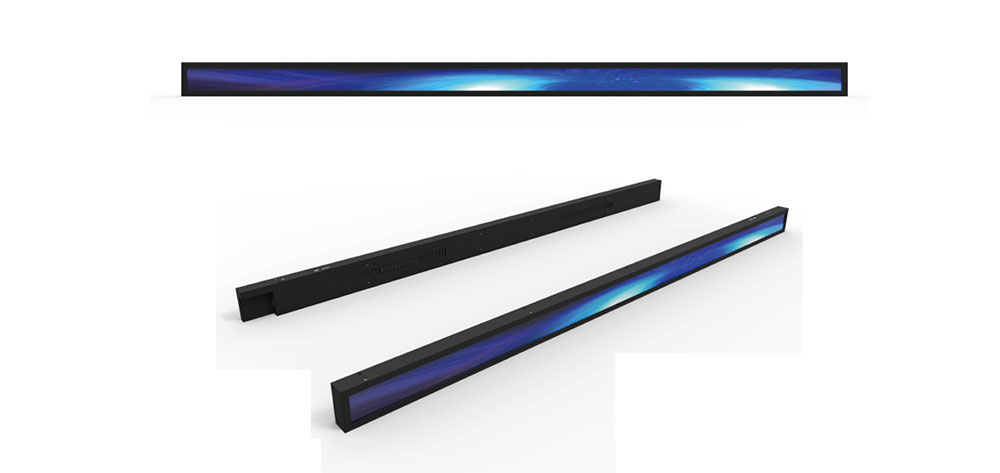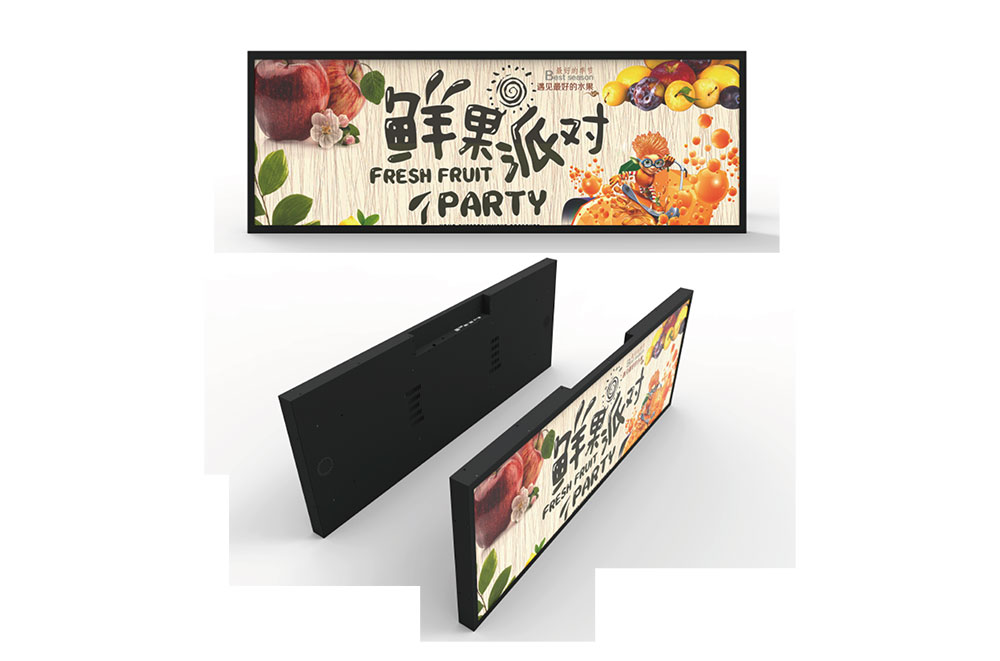
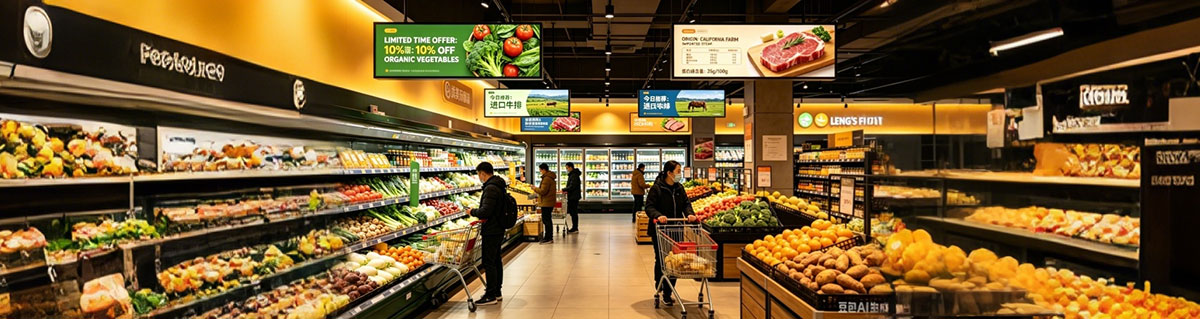
When you walk into almost any major supermarket chain today, chances are you'll see them without even realizing it — long, narrow digital screens stretched across aisles, mounted above checkout lanes, or wrapped around the edge of a freezer case. These are stretched bar displays, sometimes called ultra-wide displays or stretched LCD screens, and they've quietly become one of the most practical digital signage formats in modern retail.
Unlike standard 16:9 monitors that were originally designed for TV content, stretched bar displays come in aspect ratios ranging from roughly 8:1 up to 32:9. That unusual shape isn't a gimmick — it's a direct response to how retail spaces are actually built. Shelves are long and horizontal. Aisles are long and horizontal. Checkout counters, freezer cases, and entrance corridors are all long and horizontal. A standard widescreen monitor simply doesn't fit that geometry without wasting space or requiring awkward mounting brackets.
Having worked with retail fit-out teams and digital signage integrators across multiple markets, I've seen firsthand which placements actually drive results and which ones end up gathering dust. Here's a closer look at the five applications where stretched bar displays consistently earn their place in supermarket environments.
1. Overhead Aisle Signage and Wayfinding
The Problem with Traditional Aisle Signs
Walk through any older supermarket and you'll likely see printed acrylic signs hanging from the ceiling — "Dairy," "Snacks," "Household," and so on. These signs work, but they have three fundamental limitations:
They're static. Once printed, they can't be updated without physical replacement.
They're expensive to change across multiple locations. A chain with 200 stores needs 200 sets of new signs for any rebrand or layout change.
They can't communicate anything beyond a category name. No promotions, no rotating messages, no real-time information.
How Stretched Bar Displays Solve This
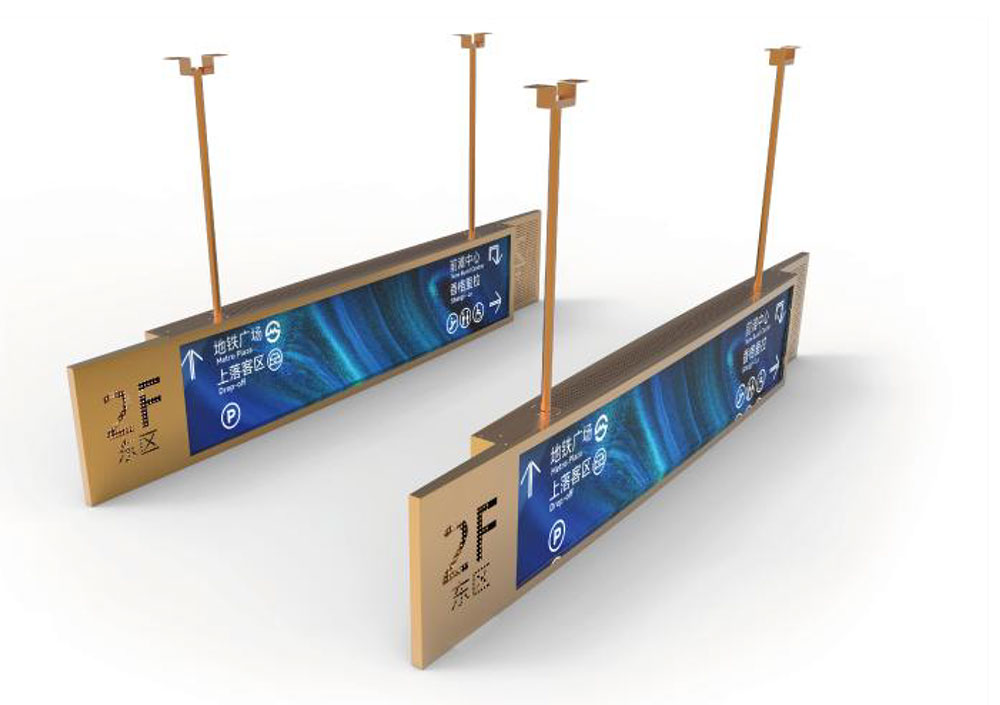
Mounted in the same overhead position, a stretched bar display can show the category name most of the time, then rotate in promotional content, seasonal messaging, or even cross-promotional tie-ins ("Pair with our weekend wine selection — Aisle 7") during peak hours.
The horizontal aspect ratio is what makes this work visually. When a shopper looks down an aisle, their eyes naturally track left to right along a horizontal band — exactly the shape these displays occupy. Text doesn't need to be oversized to remain legible from 15-20 meters away, which means more information can be displayed without sacrificing readability.
Why This Matters for Multi-Site Operators
For chains operating across multiple regions or countries, centralized content management is arguably the bigger win here. A head office team can push a new promotional theme to every store overnight through a content management system (CMS), with no physical sign changes, no store-level labor costs, and no shipping delays. For operators running frequent seasonal campaigns — back-to-school, holiday periods, regional sporting events — this flexibility alone often justifies the investment.
2. Shelf-Edge and Gondola-End Promotions
Why the Gondola End Is Such Valuable Real Estate
In retail merchandising, the end of an aisle (commonly called a gondola end or end-cap) is one of the most valuable pieces of physical space in the entire store. It's visible from multiple directions, it interrupts the shopper's path, and it's where impulse purchases and promotional sales are most heavily concentrated.
Traditionally, this space has been dressed with printed header cards, shelf-talkers, and price tags — all of which need manual replacement every time a promotion changes.
Where Stretched Bar Displays Fit
A stretched bar display mounted along the top edge or front face of a gondola end can run continuous promotional messaging — pricing, "buy one get one" offers, nutritional highlights, or supplier-sponsored advertising — without taking up any shelf depth that could otherwise hold product.
Because the screen spans the full width of the unit, it creates a continuous visual band that draws the eye across the entire promotional zone rather than highlighting just one product facing. This is particularly valuable for category captaincy programs, where a single brand or supplier funds the signage and content for an entire promotional area in exchange for prominent placement.
A Practical Note on Maintenance
One detail that's easy to overlook in planning but matters enormously in practice: gondola-end displays in high-traffic zones need to be built for durability. Trolleys bump into end-caps constantly, and the display housing needs to withstand that without affecting the screen itself. Integrators who've worked on multiple rollouts will tell you that mounting bracket quality and impact-resistant bezels are not optional extras — they're the difference between a display lasting five years or five months.
3. Checkout Lane and Queue-Area Messaging
Why Checkout Is a Uniquely Valuable Zone
Of all the zones in a supermarket, checkout is the one where shoppers are most stationary and have the least else to occupy their attention. Whether it's 30 seconds or 5 minutes, that dwell time represents a captive audience that simply doesn't exist anywhere else in the store.
What Stretched Bar Displays Do Here
Mounted above or alongside checkout lanes, these displays are commonly used for:
Last-minute impulse promotions (confectionery, gift cards, seasonal add-ons)
Loyalty program reminders and app download prompts
Payment method information (contactless, mobile wallet acceptance)
Store announcements — closing times, holiday hours, safety notices
The Practical Advantage: No Structural Changes Required
Because the format is narrow vertically but spans horizontally, it fits into the limited overhead space at checkout without requiring any modification to existing counter infrastructure. This is a major reason several large grocery groups have standardized this placement across their store networks — it's one of the few digital signage rollouts that can be implemented without involving the store's construction or fixtures team at all.
There's also a quieter benefit worth mentioning: checkout-area displays give staff something other than pure transaction screens to glance at during quiet moments, which some operators have found contributes to a slightly more engaged frontline presence — though this is admittedly a secondary, harder-to-measure benefit.
4. Refrigerated and Frozen Case Header Displays
A Genuinely Difficult Environment for Digital Signage
Cold storage areas — refrigerated cases, freezer aisles, dairy chillers — present a unique set of challenges for any electronic display:
Condensation forms easily on cold surfaces exposed to warmer store air
Temperature fluctuations near the case can affect display components over time
Glass doors create glare and reflections that make screens hard to read
For these reasons, displays placed directly inside or against cold cases often have shortened lifespans and readability issues.
The Header Unit Solution
The more practical approach — and the one most experienced integrators recommend — is mounting the stretched bar display as a header unit above the case, outside the cold zone entirely. This keeps the display in ambient store temperature while still positioning it directly above the products it's promoting.
Why This Application Has Grown So Quickly
This use case has expanded significantly in categories with high price volatility — particularly fresh meat, seafood, and produce sold from refrigerated units. In these categories, prices can change daily or even multiple times per day depending on supply costs.
Centrally updated digital pricing on header units eliminates the labor-intensive process of manually printing and replacing paper price tags across dozens of cases. It also significantly improves price accuracy and compliance — an area that has come under increasing regulatory scrutiny in markets including the UK and EU, where pricing display requirements are becoming more strictly enforced.
For multi-site chains, the labor savings alone — multiplied across hundreds of stores and thousands of SKUs — often represents a substantial portion of the return on investment for the entire signage rollout.
5. Entrance and Welcome Zone Branding
First Impressions Set the Tone
The store entrance is the first thing a customer sees, and it shapes their expectations for the entire visit. It's also one of the few locations in the store that virtually every customer passes, regardless of which direction they head once inside.
Common Uses for Entrance Displays
Stretched bar displays positioned above entry doors or along welcome corridors are typically used for:
Store branding and seasonal campaign visuals
Operating hours and holiday schedule updates
Loyalty app and membership program promotion
Synchronized national advertising campaigns
The Synchronization Advantage
One of the more sophisticated applications here is real-time synchronization with national advertising campaigns. When a chain runs a major TV or digital ad campaign, the in-store entrance display can be updated to mirror that creative — same colors, same messaging, same visual language — creating a consistent brand experience from the moment a customer sees the ad to the moment they walk through the door.
Beyond Marketing: Operational and Safety Communication
It's also worth noting that entrance displays serve an important secondary function: they're often the fastest way to communicate store-wide announcements, including product recalls, weather-related closures, or safety notices. Because every customer passes through this zone, it's one of the few placements where a message is guaranteed to reach virtually 100% of visitors — something that's increasingly valued by operations teams, not just marketing departments.
Final Thoughts: Getting Implementation Right
Across all five of these applications, one pattern holds true: the displays that succeed are the ones treated as part of the store's architecture, not as an add-on bolted onto an existing layout.
A few practical considerations that experienced operators consistently flag during planning:
Mounting and durability — High-traffic zones (gondola ends, checkout lanes) need impact-resistant housings and secure mounting hardware that can withstand daily contact with trolleys and foot traffic.
Brightness and ambient lighting — Supermarkets have wildly different lighting conditions across zones — bright entrance areas, dimmer aisles, cold case lighting. Display brightness needs to be calibrated (or auto-adjusting) for each environment, or content becomes unreadable in certain zones.
Content management infrastructure — The hardware is only half the equation. A CMS that supports remote, multi-site content updates, scheduling, and emergency overrides (for recalls or safety notices) is what turns a display from a static screen into a genuinely useful operational tool.
Pilot before scaling — Before committing to a chain-wide rollout, it's worth requesting demonstration units installed in an actual store environment for a minimum two-week period. Real-world lighting, foot traffic, and content refresh cycles reveal performance issues that simply don't show up in a showroom demo — and catching them early is far cheaper than retrofitting after a full deployment.
If you're evaluating stretched bar displays for a supermarket rollout, the underlying technology has matured significantly — but success still comes down to matching the right format, mounting solution, and content strategy to each specific zone. The applications above represent where the format has proven itself repeatedly across real-world deployments, and they're a solid starting point for any planning discussion.
KEYWORDS: