HITULCD Reliable Display · Endless Possibilities
Temperature Verification for Industrial Bar LCD Displays Real Test · Real Data · Real Performance
Visual sample: The images in this layout are illustrative crops from a generated concept graphic, not photographs or records of an actual HITULCD test. Replace them with original test photos/video and measured data before publishing any test or pass claim.

Why Temperature Verification Matters

For industrial applications, extreme environments can affect display performance. Temperature verification should confirm the display's operation under defined conditions.

−20°C to +70°C

Specified operating range
Use as a verified claim only after the applicable model has been tested.

◇Reliable
Performance
⚙Stable
Operation
♨Temperature
Range
✓Test
Records
1 Test Process

A representative bar LCD model is evaluated under defined low- and high-temperature conditions. Record the actual chamber/sample temperature and display status throughout the test.
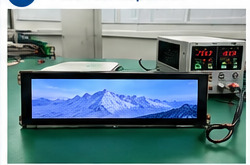
1 · Test Setup

HITULCD bar LCD temperature test setup
  • Bar LCD sample
  • Power and signal source
  • Temperature logger
  • Fixture and camera

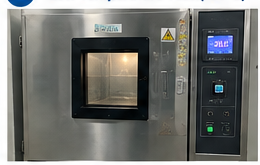
2 · Low Temperature −20°C

Low temperature chamber test for industrial bar LCD
  • Cool to target temperature
  • Confirm stability
  • Run defined signal
  • Record status and data

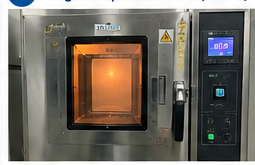
3 · High Temperature +70°C

High temperature chamber test for bar LCD screen
  • Heat to target temperature
  • Confirm stability
  • Run continuous signal
  • Record status and data

4 · Post-Test Inspection

Post temperature test inspection of bar LCD
  • Return to room temperature
  • Check display function
  • Inspect appearance
  • Record abnormalities
2 Test Results

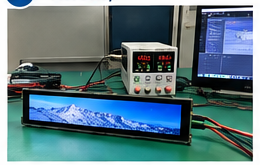
Report the observed display condition at each test point. Include any black screen, flicker, image artifacts, freezing, or other abnormality.
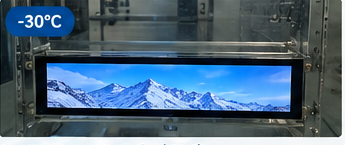
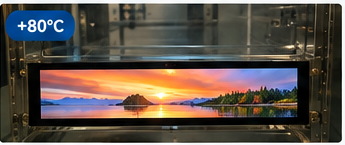
Bar LCD working at -30°C low temperature
Low-temperature operation (−20°C) · illustrative image
Bar LCD working at +70°C high temperature
High-temperature operation (+70°C) · illustrative image

Conclusion: Add a pass/fail statement only after reviewing the original test record against predefined acceptance criteria.

3 Temperature Data

Record chamber temperature and, where practical, sample temperature through the test. The chart below is a layout example, not measured data.
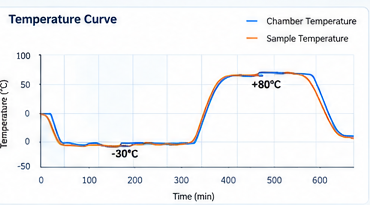
Temperature curve log chart for bar LCD thermal test
Example chart only — replace with actual logger export.

Data fields: timestamp, chamber temperature, sample temperature, test stage, display status, input voltage, signal source.
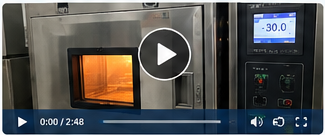
4 Test Video & Records
Temperature test video preview for HITULCD bar LCD

Video preview placeholder. Link an actual, unedited test recording here.

IMGTest photos
CSVTemperature log

Report should identify

Model and sample ID · test date · equipment · conditions · duration · results · reviewer.

Verified Temperature Range
−20°C to +70°COperating Temperature

Evidence package

  • Original test process video
  • Temperature data (chamber/sample)
  • Internal verification report
  • Model-specific test record
  • Traceable supporting evidence

Do not describe this range as tested or verified until the corresponding test is completed.

WhatsApp