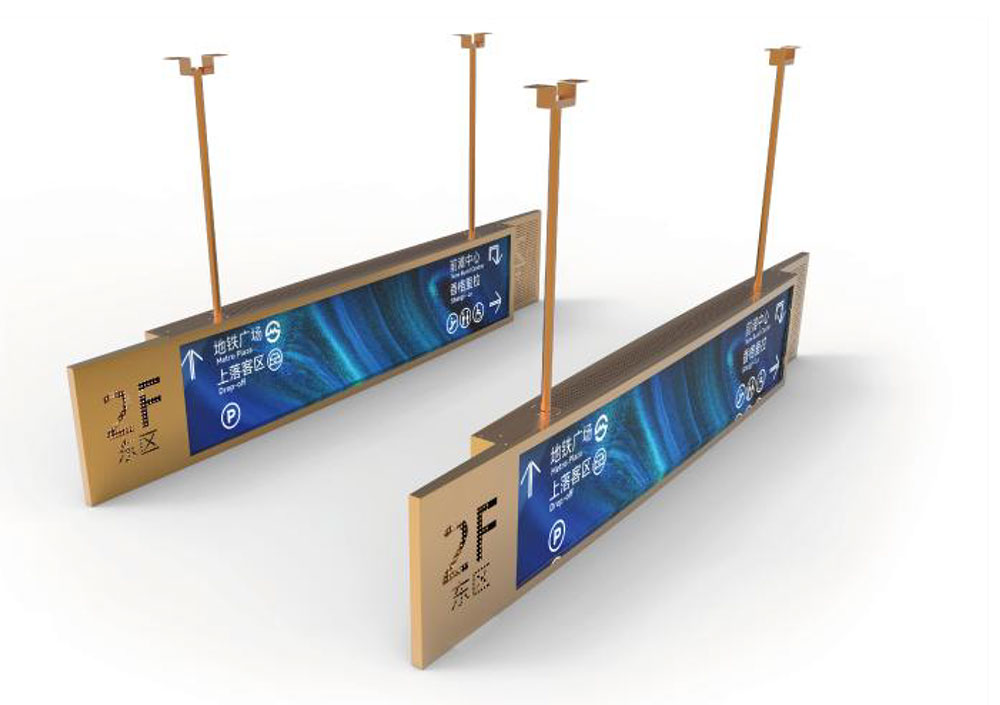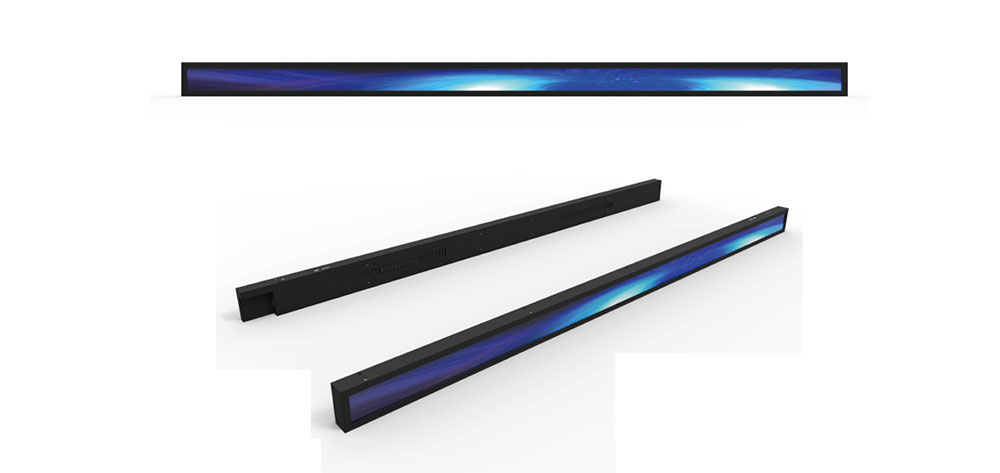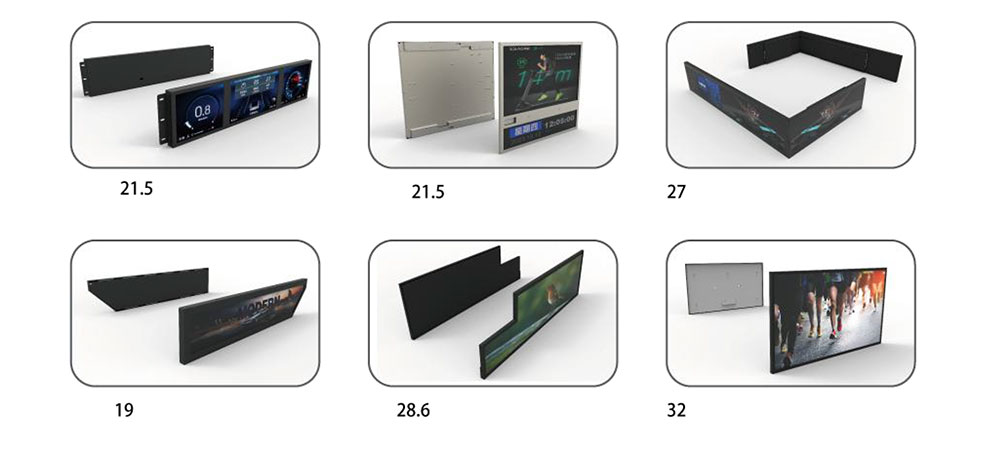
A bar-type LCD — often called a stretched bar, strip, or shelf-edge display — is one of the most specification-sensitive components you can put into a piece of equipment. Unlike a standard 16:9 panel that you can drop into an off-the-shelf enclosure, a bar display is usually defined by the mechanical envelope first and the electronics second. Get the order of decisions wrong and you end up with a panel that fits but cannot be read in daylight, or one that is beautifully bright but thermally marginal inside a sealed housing.
This guide walks through the decision sequence that experienced integrators use, from mechanical definition through validation, so that a custom bar LCD arrives as a drop-in part rather than a redesign trigger.
1. Start With the Mechanical Envelope, Not the Datasheet
The single most common cause of a failed bar display project is a mismatch between the active area (the pixels) and the viewing area (the opening in your bezel). These are not the same number, and on a long, narrow panel the difference is proportionally much larger than on a 16:9 part.
Before contacting any supplier, lock down four dimensions:
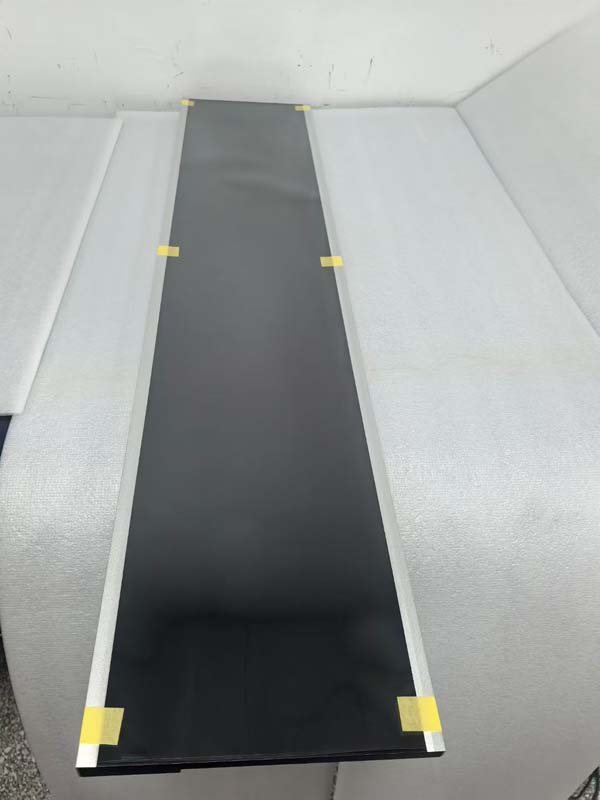
- Active area (AA) — width and height of the pixel matrix, plus its exact position relative to the panel outline. On stretched formats, the AA is often offset, not centered.
- Outline dimensions — including any protrusions from the FPC exit, connector housing, or backlight frame.
- Bezel opening and tolerance stack — accumulate panel outline tolerance, adhesive thickness, bracket tolerance, and assembly variation. A 0.3 mm per-side margin on a 30 mm-tall panel is a visible asymmetry.
- Depth budget — panel thickness plus backlight cavity, plus any optical bonding layer, plus connector clearance. High-brightness backlights add depth; plan for it early.
Also confirm the FPC exit direction and whether it can be re-routed. A custom FPC — different length, different bend, different connector, or a right-angle exit — is frequently the cheapest true customization you can request, and it can eliminate an entire internal cable assembly.
2. Choose the Aspect Ratio and Resolution Together
Bar displays are available in a spread of native formats: roughly 1920×480, 1920×540, 1280×320, 1428×280, 800×480, and longer formats beyond 3000 pixels wide. The choice is driven by three variables, and they interact:
- Pixel density versus viewing distance. A shelf-edge label read at 0.5 m needs far more pixels per millimetre than a transit sign read at 5 m. Calculate required PPI from the closest expected viewing distance rather than defaulting to the highest resolution available.
- Content layout. Decide whether the display will show a single continuous strip, a segmented layout, or an image that must not be cropped. If your content is designed for 16:9 and squeezed into 4:1, text will distort — either design for the native format or letterbox deliberately.
- Signal chain capability. Very wide formats at high refresh push bandwidth. Confirm your SoC or bridge chip supports the resolution at the frame rate you need before committing to the panel.
Non-integer scaling is a hidden cost. Running a panel at a resolution other than its native one wastes sharpness and can introduce moiré on fine text. Specify native resolution and match the source, or choose a panel whose native resolution your platform already drives.
3. Brightness Is a System Property, Not a Panel Number
Luminance figures are quoted for the panel alone, but what the user sees is panel luminance minus what the front surface reflects and scatters. For outdoor, window-facing, or brightly lit retail environments, this distinction decides whether the product is usable.
Ambient light and the readability threshold
A practical starting point is to measure or estimate the illuminance at the display surface in the worst realistic condition and match panel luminance to it. Indoor shelving under 500 lux is comfortable at 300–500 cd/m². Window-facing retail or outdoor kiosks commonly need 1000 cd/m² and above, and direct-sun applications can require 1500–2500 cd/m² to preserve contrast once surface reflections are accounted for.
Surface treatment matters as much as nits
Anti-reflective (AR) coatings reduce specular reflection; anti-glare (AG) treatments scatter it. On a bar display, AG is often preferable because a long, narrow panel in a bright environment produces a narrow band of glare that AR alone will not eliminate. Optical bonding of the cover glass — replacing the air gap with an index-matched adhesive — removes internal reflections and typically improves perceived contrast more than an extra 200 cd/m² of backlight.
Dimming quality
Check how brightness is controlled. PWM dimming at low frequency causes visible flicker and rolling bands in photographs and on camera — a real problem for equipment that will be filmed or used near cameras. Ask for the PWM frequency, and specify DC dimming or high-frequency PWM (above roughly 2 kHz) if flicker matters. Also confirm the dimming range: a display that only dims to 20% is unusable in a dark room at night.
4. Manage the Thermal Consequences of High Brightness
Brightness costs power, and power becomes heat inside a sealed enclosure. A 1000 cd/m² bar panel may dissipate several times the power of a standard 300 cd/m² part in the same footprint, and the backlight LEDs are the components most sensitive to that heat.
Three design levers matter:
- Thermal derating. Many panels are rated for reduced luminance above a certain ambient temperature. Ask for the luminance-versus-temperature curve, not just the headline figure.
- Heat path. Specify a metal chassis or thermal pad interface so heat can reach the enclosure wall. Air gaps in a plastic housing trap heat directly behind the LEDs.
- LED efficiency. Newer backlight architectures deliver the same luminance at lower drive current. For a long-life product, efficiency is a reliability feature.
If the display will operate near its thermal limit, ask the supplier for a thermal simulation or a measured case-temperature profile at your target luminance and ambient condition. This is a normal request from a serious manufacturer and an uncomfortable one for a trading company.
5. Match the Interface to Your Platform
Bar panels are driven over LVDS, eDP, MIPI DSI, or parallel RGB, with the choice usually dictated by resolution and by what your host already supports.
- LVDS remains the most common interface for industrial bar panels. It is robust, well understood, and tolerant of medium cable lengths with proper twisted-pair routing.
- eDP is preferable for very high resolutions and longer internal runs, and it carries auxiliary channels for backlight and touch control.
- MIPI DSI dominates embedded and battery-powered designs but has strict length limits — usually tens of centimetres — and demands careful impedance control.
- Parallel RGB is simple and cheap for lower resolutions but consumes many pins and offers no error tolerance at distance.
Regardless of interface, resolve these details before tooling: connector type and pinout, backlight drive arrangement (on-panel driver or external constant-current board), whether an enable/PWM signal is required, and whether the panel expects 3.3 V or 5 V logic. If your platform outputs HDMI or DisplayPort, specify whether the supplier provides a bridge board — and get its dimensions and thermal behaviour documented, since a bridge board inside a tight enclosure is a frequent late-stage surprise.
EMI deserves early attention on long, narrow enclosures where the display cable runs close to the antenna or power wiring. Specify shielded FPC or micro-coax for critical runs, and ask for the cable's flex-cycle rating if the display is mounted on a moving assembly.
6. Decide Touch, Cover Glass, and Bonding as One Package
If the display is interactive, the touch sensor, cover glass, and bonding method should be specified together, because they determine thickness, optical performance, and cost simultaneously.
- Air gap versus optical bonding. Optical bonding improves contrast and eliminates condensation between layers, and it is close to mandatory for outdoor or high-vibration applications. It also increases cost and complicates rework.
- PCAP controller capability. For equipment used with gloves, wet hands, or through a protective layer, confirm the controller's tuning range and whether it supports thick cover glass, glove mode, and moisture rejection.
- Cover glass specification. Thickness, chemically strengthened glass versus acrylic, print/ink color for the border, and impact rating if the equipment is exposed to knocks.
- Brightness loss. Every added layer costs transmission. A bonded stack with AR coating may transmit 92–94%; a stack of unbonded layers with poor coatings can lose considerably more.
For a bar format specifically, confirm how the touch sensor's ITO pattern and border routing fit within a narrow height. Wide, short sensors have proportionally more edge routing, and it can force a wider bezel than the panel alone requires.
7. Specify Environmental and Reliability Requirements Explicitly
"Industrial grade" is a marketing phrase, not a specification. Write the numbers into the requirement document:
- Operating temperature — the range in which the unit must function, not merely survive. Storage range is separate and usually wider.
- Humidity and condensation — specify whether the unit must operate through condensation events, which usually implies bonding and conformal protection.
- Vibration and shock — reference a standard and an axis/duration profile if the equipment is vehicle-mounted or portable.
- Ingress protection — state the IP target for the front face and confirm whether the supplier's sealing is part of the display assembly or your enclosure's responsibility.
- Lifetime — define L70 (time to 70% of initial luminance) at your operating luminance and temperature, not at a derated test condition.
- Defect criteria — agree on an acceptable dead-pixel and bright-dot standard before production, since these are a common source of dispute at incoming inspection.
- Image sticking and burn-in — relevant if the display shows a static layout for hours at a time, as shelf-edge and instrument displays typically do.
8. Plan the Commercial Path From Prototype to Production
Technical fit is only half of the decision. Ask about the following before awarding a custom program:
- NRE and tooling — what is charged for the FPC, backlight, mechanical, and firmware changes, and whether it is credited against volume.
- MOQ and lead time — for both the custom build and for repeat orders. A workable prototype MOQ with an unworkable production MOQ is a trap.
- Lifecycle commitment — minimum availability period, and the notification window for end-of-life or process change. A 90-day PCN notice on a 7-inch-class panel can invalidate a multi-year medical or industrial design.
- Second-source reality — in bar formats, true pin-compatible second sources are rare. If continuity matters, either qualify an alternate early or carry buffer stock.
- Documentation — full drawing with tolerances, interface timing, backlight specifications, and a test report per lot. Ask to see a sample of each before committing.
9. Validate With a Written Test Plan
Do not accept a first article on visual inspection alone. A practical validation plan for a custom bar LCD includes:
- Dimensional verification against the drawing, including AA position and FPC exit.
- Luminance and uniformity measurement at nine points at the specified drive condition.
- Contrast measurement with the final cover glass and bonding in place.
- Chromaticity check — bar displays from mixed backlight batches can drift noticeably in white point.
- Thermal soak at maximum ambient with the display at maximum brightness, monitoring case temperature and any luminance derating.
- Interface validation at the corners of the timing specification, not just nominal.
- ESD and EMC pre-scan in the final enclosure.
- Vibration, drop, and thermal cycling on at least three units.
- Extended burn-in — several hundred hours at operating luminance — to catch early LED or driver failures.
10. Questions That Separate a Manufacturer From a Reseller
When you evaluate suppliers, the useful questions are the ones that reveal whether the customization is engineered or merely assembled:
- Can you modify the backlight, and what luminance range is achievable in this outline without changing the depth?
- What is the luminance derating curve versus ambient temperature?
- Can the FPC and connector be changed, and what is the tooling lead time?
- What is the PWM frequency and dimming range?
- Which certifications do you hold for this family, and can you supply the test reports?
- What is the EOL notification period, and how many years is this format committed?
A supplier who can answer these with numbers — and who volunteers the derating curve and the tolerance drawing without being asked — is a different class of partner from one who answers with adjectives.
Conclusion
Choosing a custom bar LCD is a sequence, not a shopping trip. Fix the mechanical envelope and tolerance stack first, then select aspect ratio and resolution against realistic viewing distance, then treat brightness, thermal design, optical stack, and interface as one integrated problem. Write the environmental and reliability numbers down, agree on defect criteria before the first shipment, and validate against a plan rather than a photograph. Done in that order, a custom bar display becomes a component you can design around for years instead of a detail you have to keep re-engineering.
KEYWORDS: custom bar LCD display, stretched bar LCD panel, high brightness LCD, sunlight readable bar display, bar type LCD customization