NoviSign Software Compatibility with HITULCD Stretched Bar LCD Displays: An Android-Based Integration Case Study
Introduction
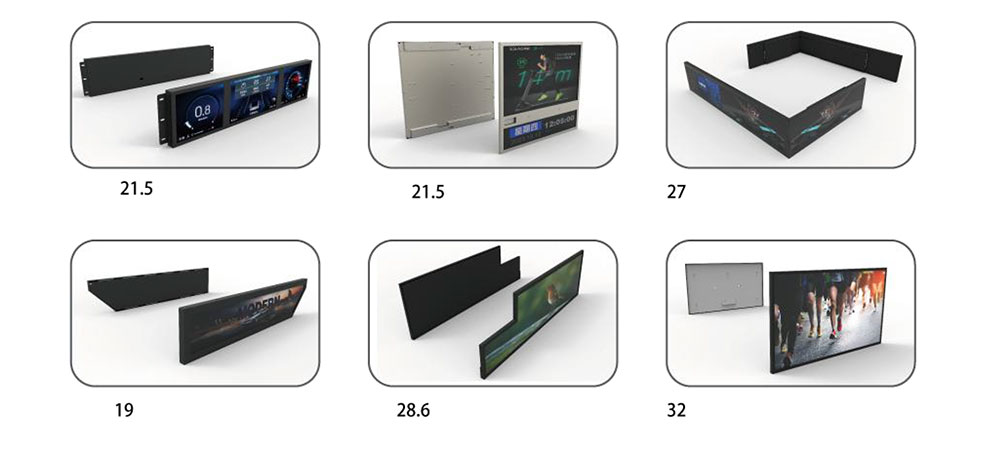
A stretched bar LCD display is often selected because a standard widescreen monitor cannot fit the available installation space. The screen may need to sit above a restaurant counter, inside a retail fixture, across an equipment fascia, or within a narrow architectural opening. Once the display format has been decided, however, another practical question follows: how will the content actually be created, managed, and played on the screen?
For commercial digital signage projects, display hardware is only one part of the system. Content management software, the playback device, the operating system, the display controller, and the panel's native resolution all affect the final result. A screen may power on correctly and still require additional work before it can be used reliably with the customer's existing signage workflow.
HITULCD has carried out an initial compatibility check involving NoviSign digital signage software and a stretched bar LCD display configuration based on a Rockchip RK3566 processor and Android 11. The work included checking the software's content-management interface, its preview function, and the playback of prepared content on the display.
This case study explains the purpose of the integration, the technical points that matter when deploying digital signage on an ultra-wide screen, and the checks that should be completed before a larger rollout.
Why Software Compatibility Matters for Stretched Bar Displays
Digital signage buyers increasingly need displays that fit specific spaces rather than forcing the installation to accommodate a conventional screen. In retail, an ultra-wide display can sit above a product shelf or form part of a promotional fixture. In food service, it can provide a narrow menu strip above a counter. In commercial equipment, it can present operating information or customer-facing messages within a limited front-panel area.
These applications share a practical requirement: the screen must fit the physical design without making content management unnecessarily complicated.
A business may already have a content management system (CMS), established advertising templates, and a process for updating campaigns across multiple locations. Replacing that workflow simply because a project requires an unusual screen shape can add cost and create extra work for the operator.
NoviSign provides a cloud-based digital signage platform with player applications for supported hardware and operating systems. Its workflow allows users to create content through the Studio interface, organize material into playlists, and assign broadcasts to connected players. The company's documentation also identifies Android-based devices as one of its supported hardware categories.
For a stretched LCD project, this makes software compatibility worth evaluating early. The important question is not just whether the application can be installed, but whether the complete playback configuration can present the intended content correctly on the selected display.
The Integration Configuration
The configuration reviewed by HITULCD used a Rockchip RK3566-based platform running Android 11, together with a stretched bar LCD display.
The RK3566 is an application processor used in embedded multimedia equipment. Rockchip's published documentation lists Android 11 and Android 12 among the supported software environments for the platform. Actual functionality still depends on the board design, firmware, peripheral configuration, and the software image supplied for the specific device.
For this integration, the relevant components were:
Digital signage software: NoviSign, used for content preparation and playback management.
Playback platform: An RK3566-based device running Android 11.
Display hardware: A HITULCD stretched bar LCD configuration.
Content workflow: Preparing content in the software interface, checking the preview, and verifying playback on the display.
These components perform different jobs. The CMS manages the content and its distribution. The Android device runs the player application and generates the display output. The LCD panel presents the resulting image.
Keeping these roles separate is important when troubleshooting. An issue involving incorrect image proportions, for example, may originate in the content layout, player scaling, display-output settings, or panel configuration rather than in the LCD panel itself.
The configuration described here is a specific integration example, not a claim that every NoviSign version, RK3566 board, Android firmware build, or stretched LCD resolution will behave identically.
What Was Checked During the Initial Compatibility Test?
The purpose of an initial compatibility test is to establish whether the basic software-to-display workflow operates as expected before investing time in more extensive project validation.
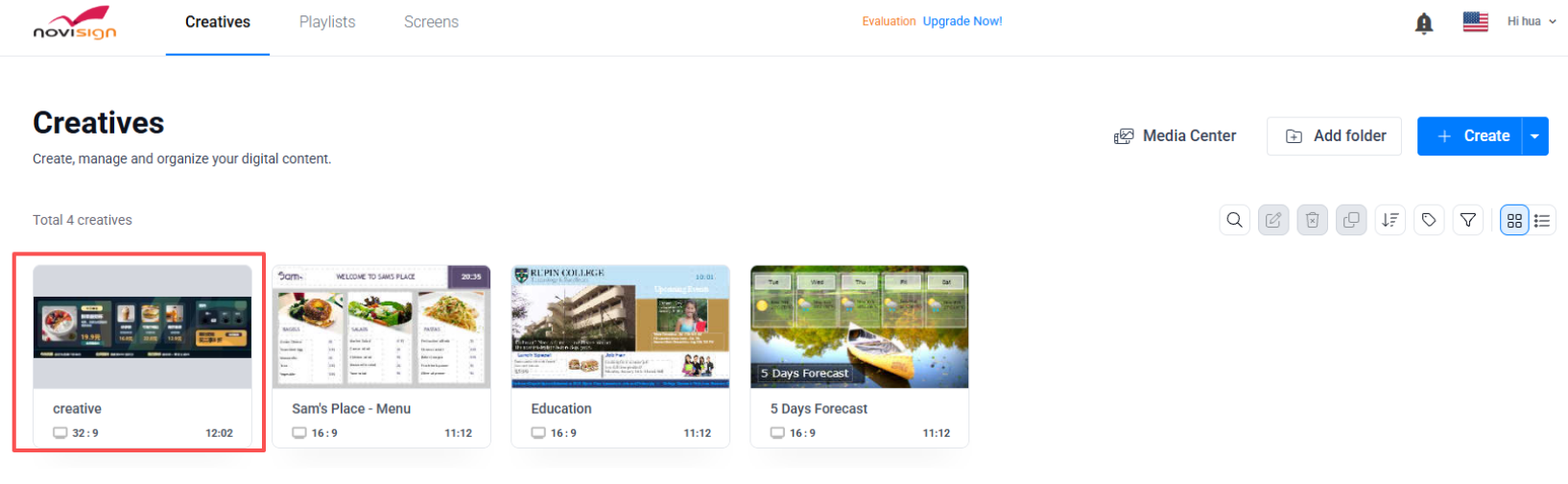
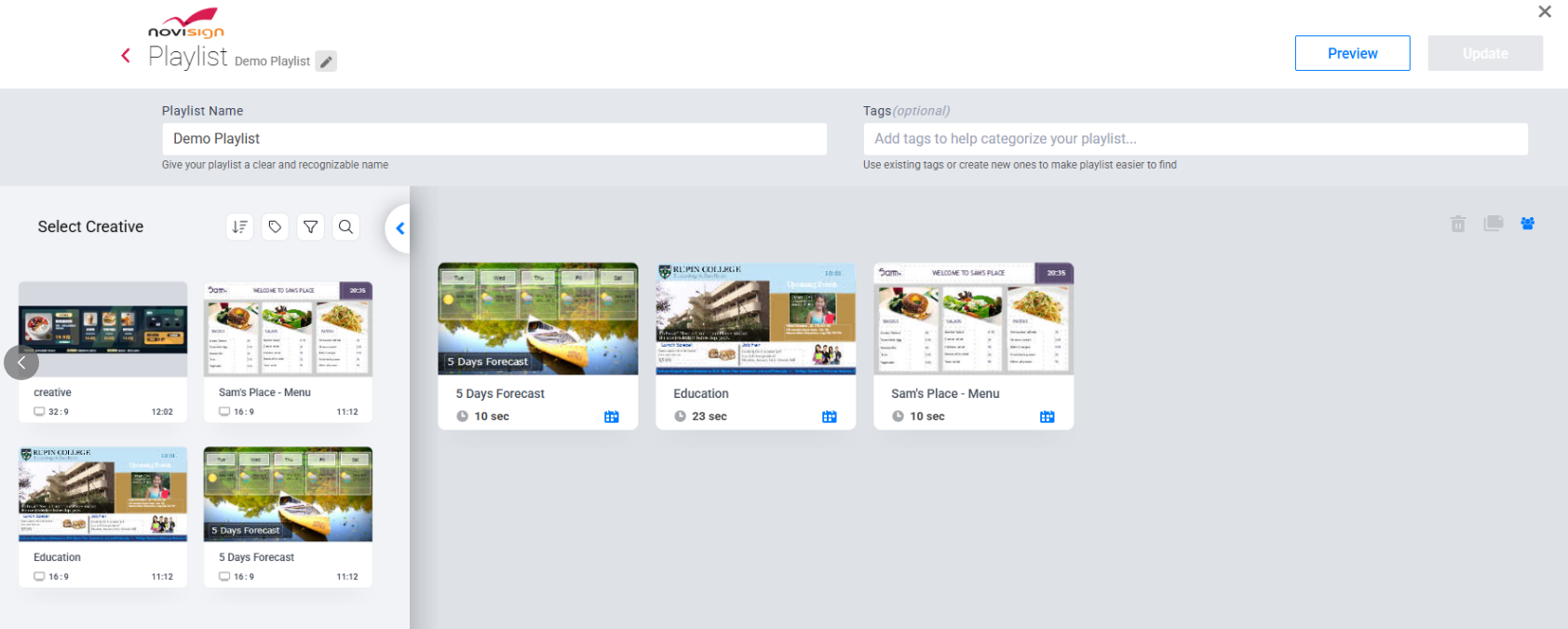
1. Content preparation in the management interface
The first step is to prepare the intended visual material in the software's management environment. Depending on the project, this may include product images, menu items, promotional graphics, text, and video.
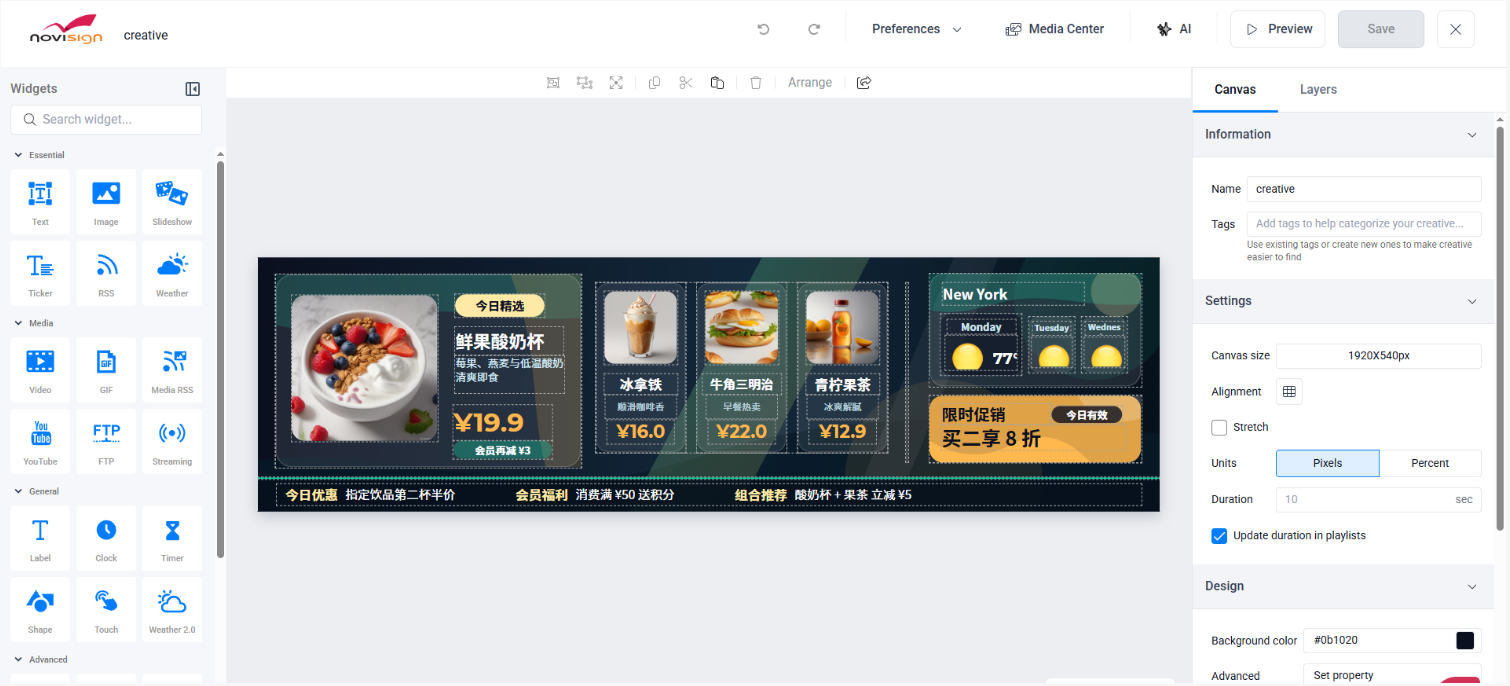
For a commercial display installation, the content must be designed for the actual screen rather than simply reused from a standard 16:9 layout. A design that looks balanced on a desktop monitor may become cramped or difficult to read when transferred to a narrow, ultra-wide canvas.
During the initial check, HITULCD reviewed the software's content-management interface and the prepared display material.
2. Previewing the content before playback
A preview provides an opportunity to identify obvious layout problems before the content is deployed to the physical screen.
For a stretched display, particular attention should be paid to the placement of text, the size of product images, the spacing between content blocks, and the visibility of information near the edges of the canvas.
A preview is useful, but it should not be treated as a substitute for testing on the actual hardware. The preview environment and the final playback environment may handle scaling, available screen dimensions, and rendering differently.
3. Playback on the stretched LCD display
The next step is to verify that the prepared material reaches the display through the intended playback configuration.
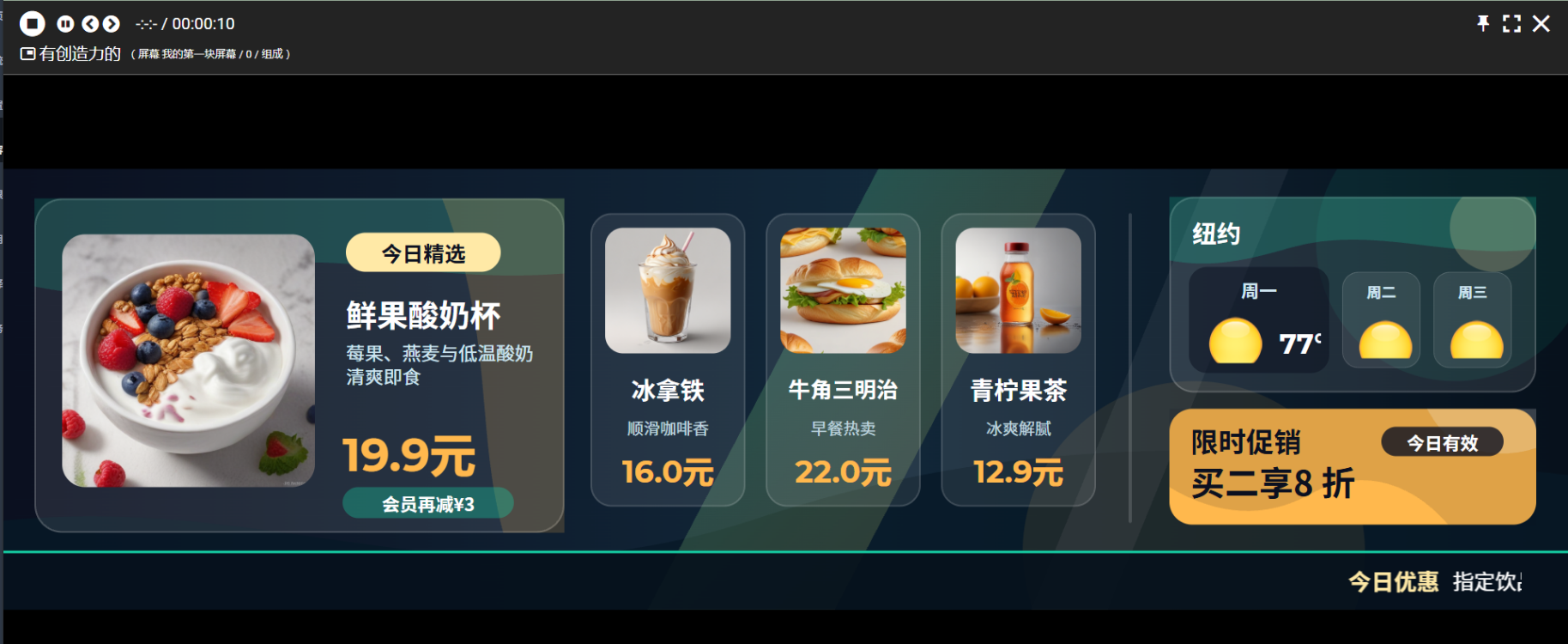
HITULCD's initial check included displaying the prepared content on the stretched bar screen. This provides a practical basis for evaluating the basic relationship between the software, Android playback environment, and physical display.
Successful playback is an important first milestone. It does not, by itself, establish every aspect of long-term reliability, remote management, scheduling, recovery after power loss, or compatibility across different hardware revisions.
Those items should be evaluated separately where they are relevant to the final installation.
4. Comparing the preview with the physical result
The preview and the actual screen should be checked against the same content layout.
The comparison should look for unexpected cropping, distorted proportions, missing elements, unreadable text, or excessive empty space. If the output differs from the intended design, the cause should be isolated before the configuration is approved for deployment.
For example, an image can appear stretched if the content is scaled to fill the screen without preserving its original proportions. Conversely, preserving the original proportions may introduce unused space if the creative was designed for a different aspect ratio.
The appropriate solution depends on the native resolution and intended layout. It may require a revised creative, a different scaling setting, or a change to the output configuration.
The initial test established a basis for basic compatibility evaluation. More extensive operational checks should be completed according to the requirements of the intended project.
The Main Technical Challenge: Content on an Ultra-Wide Canvas
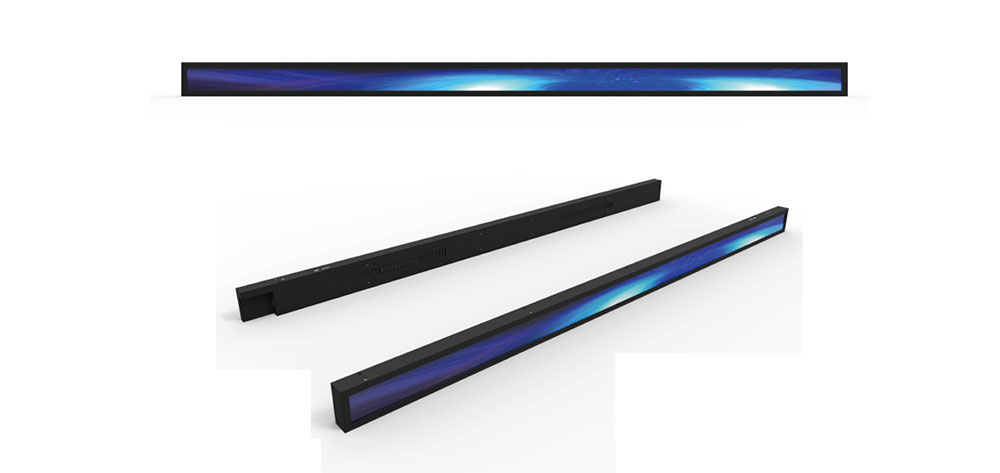
A stretched bar LCD display is not simply a conventional monitor made wider. Its unusual geometry changes how content must be designed and rendered.
Native resolution must be confirmed first
There is no single resolution that applies to all stretched bar LCD displays. Different screen sizes and aspect ratios can use different pixel dimensions, even when their overall appearance is similar.
Before preparing content, the project team should confirm the selected panel's native resolution and the playback device's supported output modes. The CMS canvas, output resolution, and physical display should be configured consistently wherever the system permits.
A resolution mismatch can lead to scaling artifacts, cropped content, or an image that does not use the available display area effectively.
Existing templates may need adjustment
Many digital signage templates are designed for standard landscape screens. Moving the same design to an ultra-wide display can leave the main information concentrated in one section while the rest of the screen contains little useful content.
A better approach is to design the layout around the intended viewing conditions.
For a restaurant menu, the available width can be divided into clearly defined product groups, prices, images, and promotional areas. For retail signage, product identification and promotional messages should remain readable at the expected viewing distance. For equipment information, essential status messages should take priority over decorative graphics.
The layout should be tested at the actual output resolution, not judged only from a scaled preview on a computer.
Scaling and cropping require deliberate decisions
A playback system may offer different ways to fit content to a screen. Depending on the configuration, it may preserve proportions, fill the available area, or crop parts of the image.
None of these approaches is universally correct. The appropriate setting depends on the original creative and the screen's geometry.
If the design must preserve every item of information, cropping may be unacceptable. If a background image is intended to cover the full canvas, some cropping may be acceptable. Text and product images generally need more careful treatment than decorative backgrounds.
The project team should define the desired behavior and verify it on the actual display before approving the content template.
What Project Teams Should Verify Before Deployment
An initial playback test is useful for feasibility assessment. A production deployment requires a more complete checklist.
Software and operating system
Confirm the NoviSign player version, Android firmware, installation method, account configuration, and any platform-specific requirements. If a particular Android build is not listed as tested by the software provider, confirm its suitability rather than assuming that all Android devices behave the same way.
Display resolution and orientation
Record the panel's native resolution, the required output mode, and whether the display will be installed horizontally or vertically. Confirm that the software canvas and the physical output match the intended orientation.
Content rendering
Test representative images, text, video, and other content types that the project will actually use. Check whether small text remains readable, images retain the intended proportions, and important information stays within the visible area.
Network and content updates
For cloud-managed installations, verify the actual network environment and the process for publishing updates. Where the site may experience intermittent connectivity, determine how the player behaves when the connection is lost and restored. Offline behavior should be confirmed for the specific software and device configuration.
Operating schedule and recovery
If the display must run for extended periods, test the intended operating schedule and check the system's behavior after a restart or power interruption. Long-duration stability should be assessed over a period appropriate to the application; a brief demonstration cannot establish continuous-operation performance.
Physical and thermal conditions
The display enclosure, controller board, and playback hardware must operate within their specified environmental limits. Installation clearance, ventilation, cable routing, power supply, and access for maintenance should be considered as part of the finished system.
Multi-screen deployment
If the project involves multiple displays, test the intended publishing workflow, screen assignment, and update process. Where synchronized playback or tightly coordinated timing is required, verify that requirement explicitly instead of assuming that all networked screens will remain frame-synchronized.
The level of testing should reflect the consequences of failure. A single indoor promotional screen and a display embedded in industrial equipment may require very different validation procedures.
Potential Applications for the Integration
A compatible Android-based playback configuration can make a stretched bar display easier to incorporate into an existing digital signage workflow. The final suitability depends on the specific screen, content, installation, and software requirements.
Digital menu boards
Restaurants and quick-service food outlets can use ultra-wide screens where the available space favors a long horizontal format. Menu content can be divided into product categories, prices, images, and promotional sections.
The design should prioritize legibility and rapid information recognition. The screen's physical dimensions and native resolution should be confirmed before the menu template is finalized.
Retail product displays
Retailers and signage integrators may use stretched displays above shelves, within promotional fixtures, or along narrow display structures.
The software workflow can help operators update product information and campaigns without manually replacing the content on each screen. For multi-location projects, the team should verify screen assignment, publishing permissions, and update behavior under the intended network conditions.
Commercial and architectural signage
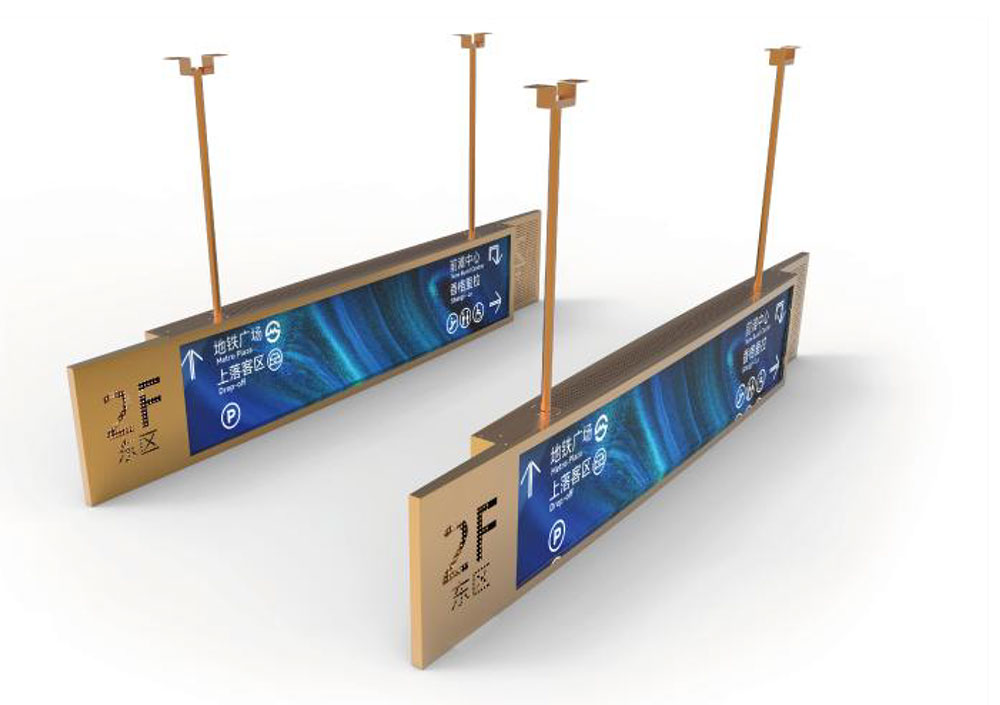
An ultra-wide format can fit locations where a standard monitor would occupy too much vertical space. Depending on the installation, the display may be used for wayfinding, short announcements, room information, or advertising.
Mechanical integration remains important. The finished installation must account for the viewing angle, mounting structure, cable access, ventilation, and service requirements.
Equipment-integrated displays
OEMs and equipment manufacturers may incorporate a stretched LCD into a product fascia or user-facing interface.
In these projects, the software and display are only part of the overall design. The OEM must also consider startup behavior, power management, mounting, operating environment, user interaction requirements, and long-term product support.
A successful demonstration of content playback is a useful starting point, but the complete equipment configuration must be evaluated against its own requirements.
What This Means for OEMs and Digital Signage Integrators
For overseas buyers, the practical value of a software compatibility test is that it reduces uncertainty early in the project.
Before committing to a production order, the integrator can assess whether the selected display format and playback platform are suitable for the existing content workflow. This can help identify resolution or layout problems before the enclosure, mounting structure, and installation process are finalized.
It also clarifies the division of responsibility. The display supplier needs to provide accurate panel and interface information. The playback hardware supplier needs to confirm the operating environment and output capabilities. The software provider needs to clarify its supported platforms and any requirements for the intended deployment.
These responsibilities should be documented rather than left to assumptions.
For projects requiring custom dimensions, unusual aspect ratios, or integration into existing equipment, early technical communication is particularly valuable. Providing the intended native resolution, operating system, playback device, content examples, and installation conditions allows the relevant parties to evaluate the system against the actual use case.
Conclusion
The initial NoviSign compatibility check on an RK3566-based Android 11 platform provides a practical starting point for evaluating third-party digital signage software with HITULCD stretched bar LCD displays.
The work covered the content-management workflow, previewing, and playback on the physical display. It demonstrates the importance of assessing the software and display as parts of a complete system rather than treating the LCD panel as an isolated component.
For a production project, the next step is to verify the exact resolution, content rendering, network behavior, restart recovery, operating conditions, and any multi-screen requirements that apply to the installation. The appropriate validation scope depends on the intended application and the consequences of a failure.
HITULCD works with customers evaluating stretched bar LCD displays for commercial and OEM integration projects. By identifying the display requirements and playback environment early, project teams can make more informed decisions about hardware selection, content preparation, and system integration.
For a project review, provide the required screen dimensions, native resolution, Android platform or media player, software requirements, and installation environment. These details provide a more useful basis for evaluating a suitable stretched LCD configuration than screen size alone.
KEYWORDS: