Why Stretched Displays Are Different From Standard Panels
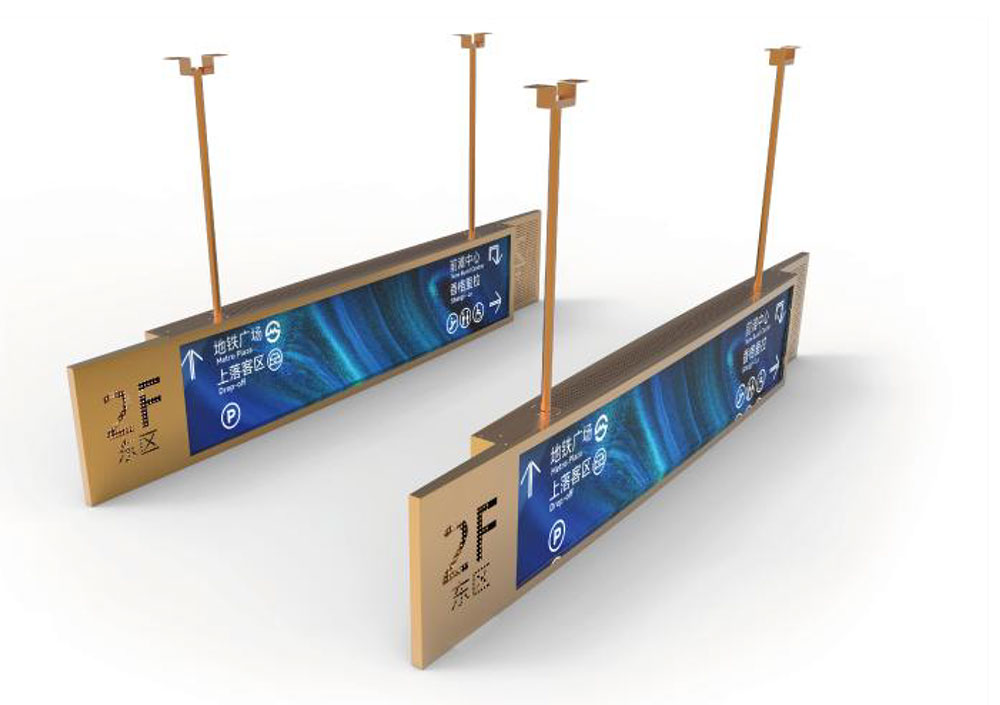
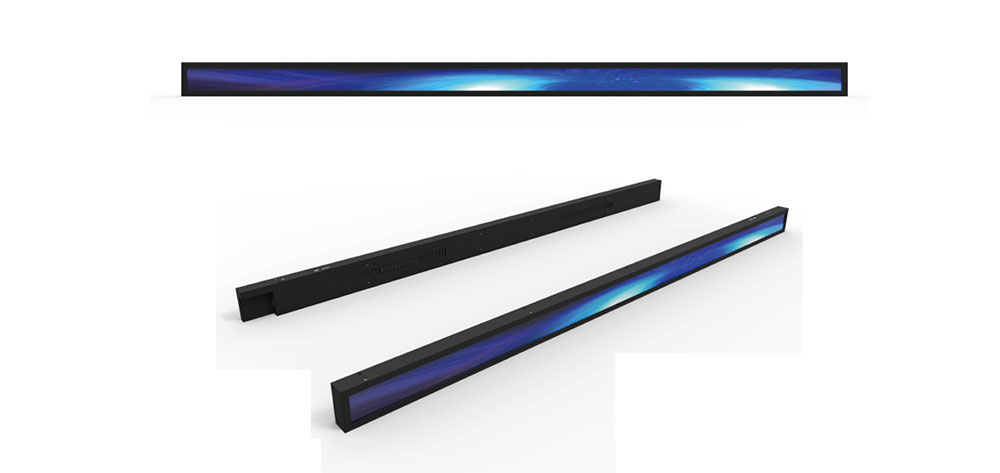
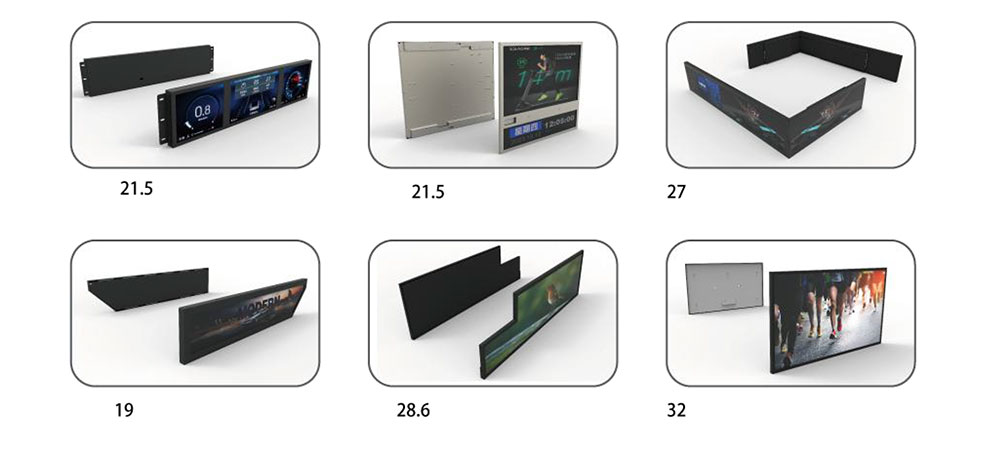
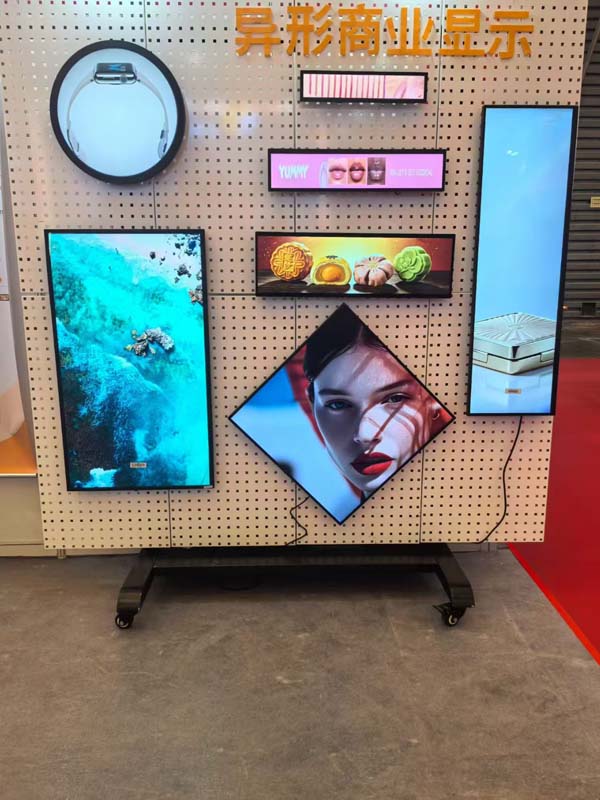
A stretched LCD module — often called a bar-type, strip, or elongated display — is cut from the same mother glass as conventional 16:9 panels but with an aspect ratio pushed far beyond normal, typically somewhere between 16:4.5 and 20:1. Designers reach for them when an enclosure has a wide, shallow aperture: a 1U rack face, a shelf-edge rail, a train window header, a vending machine fascia, a medical cart handlebar, a kiosk top strip. The panel fills that geometry without wasting dead bezel, and it delivers status, wayfinding, or advertising content in a form factor that a 16:9 panel simply cannot occupy.
That geometry is also the source of every integration problem. A stretched module has a very short vertical dimension relative to its diagonal, which means fewer gate lines, a longer and thinner backlight cavity, a mechanically weaker glass envelope, and a drive architecture that is frequently customized rather than drawn from a standard catalog. Treating one like a scaled-down desktop monitor is the most common way industrial projects fail. The guidance below is organized in the order a real design review should follow: panel selection, mechanics, optics, thermal, electrical, firmware, and validation.
Step 1: Lock the Panel Specification Before Anything Else
Stretched panels are a niche product, and the specification you fall in love with during the concept phase may not exist as a second source. Start with the constraints that cannot be designed around.
Resolution and aspect ratio
Bar-type modules commonly appear in resolutions such as 1920×540, 1920×384, 2880×864, 3840×1080, and 1280×480. Higher vertical pixel counts are better for text legibility because glyph rendering depends on vertical stroke detail — a 540-pixel-high strip renders a 24 px font far better than a 384-pixel-high strip of the same physical height. If your content includes patient data, part numbers, or multi-language text, spend the extra cost on vertical resolution.
Brightness and contrast targets
Indoor kiosk applications are comfortable at 500–700 nits. Enclosed equipment behind a tinted window, or any outdoor or transit application, needs 1000 nits or more, and a sunlight-readable variant with an anti-reflective front polarizer. Remember that perceived contrast falls sharply under high ambient light: a 1000:1 panel in a bright lobby behaves optically like a much lower-contrast display, so specify brightness and surface treatment together, not sequentially.
Interface and drive architecture
Most stretched industrial modules ship with LVDS or eDP input, with MIPI-DSI and RGB/SPI appearing on smaller diagonal sizes. Confirm four things in writing with the supplier: the exact connector part number and pinout, the supported timing set (pixel clock, blanking, refresh rate), whether an EDID EEPROM is present and what it contains, and the power-up sequence with its timing tolerances. Suppliers of stretched panels frequently revise driver ICs between lots, and a pin-compatible change can still alter the required reset timing.
Lifecycle and supply
Ask for the projected production life, the last-time-buy policy, and whether the same glass is offered by a second vendor. Equipment with a ten-year field life should not depend on a single-line panel. Where the volume justifies it, qualify two modules mechanically interchangeable at the bracket level so that a substitution requires no enclosure redesign.
Step 2: Mechanical Integration
Mounting and load paths
Never hang a stretched module from its four corners alone. The long dimension acts as a beam, and corner-only support lets the center deflect under shock, which shows up as backlight mura or, worse, glass cracking at the driver IC bond. Use a continuous perimeter ledge or a machined frame that supports the module along its full length, with a compliant compression gasket between panel and frame. Spacer posts at roughly 100–150 mm intervals along the long edges distribute clamping load evenly.
Tolerances and thermal expansion
Aluminum frames expand by roughly 23 µm per meter per °C, while the glass they hold moves by about 3–9 µm. Over a 1.2 m width and a 50 °C swing, that mismatch reaches well over a millimeter — enough to crack a panel that is rigidly constrained. The fix is to over-size the pocket, locate the module on a single datum edge, and let the opposite edge float in an elongated slot. Never rely on the panel's own mounting holes to define position in more than one axis.
Edge and surface protection
The cut edges of a stretched panel are where handling damage happens. Specify a protective side bezel or edge gasket covering the glass rim, and keep assembly staff from contacting the polarizer. If the front glass is exposed, add a chemically strengthened cover glass or polycarbonate with an air gap or optical bond; for a recessed installation, maintain a bezel depth of at least 2–3 mm to shield the panel from direct impact and stray light.
Sealing and ingress protection
If the equipment carries an IP54 or higher rating, the display aperture is the weakest point. Use a continuously molded or spliced gasket with a defined compression set, avoid corner butt joints where possible, and pressure-decay test the assembled front panel rather than trusting the drawing. Enclosures that are sealed and then cycled in temperature will pump moisture inward unless a breathable membrane vent is fitted; condensation behind the front glass is far more common than water ingress.
Step 3: Optical Design
The gap between panel and cover glass determines how the display behaves in real light. An air gap is cheap but produces two extra reflections and noticeable ghosting under point light sources. Optical bonding with a cured silicone or OCA layer removes those reflections, improves contrast under sunlight, adds mechanical rigidity, and improves impact resistance — but it introduces a rework problem and requires the bond to survive the same thermal range as the panel. For outdoor and transit equipment, bonding is usually mandatory rather than optional.
Backlight uniformity deserves explicit measurement. Because the light guide in a stretched module is unusually long and narrow, hot spots near the LED entry edge and dim regions at the far end are typical. Ask for a 9-point or 13-point luminance uniformity report on the actual module, not on a representative 16:9 sample, and verify it again on the first article inside your own enclosure, since a narrow bezel or a close-fitting gasket can occlude the light guide edges and change the measured values.
Step 4: Thermal Management
LED backlights in stretched modules are packed into a short edge, so heat density per unit length is high while the radiating area is small. Two failure modes follow: brightness droop and color shift as the LEDs age faster in the hot zone, and permanent yellowing of the light guide or diffuser near the entry edge.
- Estimate the load first. A 1000-nit, 1.2 m stretched module may dissipate 15–30 W in the backlight alone. Treat that as a design input, not an afterthought.
- Provide a conduction path. Couple the module's metal chassis to the enclosure with a gap pad of the correct thickness and hardness; do not rely on convection inside a sealed box.
- Separate heat sources. Keep the power supply, CPU board, and motor drives away from the display's LED edge, and add a baffle if the enclosure airflow crosses them first.
- Derate on measurement. Thermocouple the LED bar, the light guide entry edge, and the driver IC at the worst-case ambient and maximum brightness; then set a firmware brightness ceiling that keeps the panel below its rated operating temperature with margin.
Step 5: Electrical and Signal Integrity
Stretched modules often sit far from the host board — at the end of a long machine, behind a door, along a conveyor — and that distance is where LVDS links fail.
- Keep differential pairs matched in length and impedance, route them as pairs over a continuous ground plane, and avoid stubs at the connector.
- Use shielded twisted-pair cable assemblies rated for the cable's actual length; beyond roughly 1–2 m, verify eye height and jitter on the receiving end rather than assuming the link is fine because the image appears.
- Provide a clean, separately fused backlight supply and a constant-current driver matched to the LED string configuration. PWM dimming below about 200 Hz causes visible flicker and beats against camera shutters; for machine vision or medical imaging equipment, use high-frequency PWM or analog current dimming.
- Handle inrush. Backlight drivers and large bulk capacitors draw a surge at power-up that can trip a shared 24 V rail; sequence the display after the main supply is stable.
- Bond the front metal bezel to chassis ground and add ESD protection on the touch interface, especially where operators will contact the screen while standing on an ungrounded floor.
Step 6: Firmware, Timing, and Image Quality
Confirm the timing parameters against the panel datasheet rather than a generic mode from the graphics driver, and program the exact pixel clock and blanking values into the device tree or BIOS. A stretched panel run at a 16:9 timing set will either show no image or stretch content incorrectly, and some panels will display a stable image at the wrong refresh rate while silently violating the datasheet and aging prematurely.
Two firmware habits pay for themselves. First, implement a pixel-shift or content-rotation routine for any UI element that stays fixed for hours — stretched panels used as status bars often hold a static logo or clock in the same pixels indefinitely, and image sticking on that region is a genuine warranty issue. Second, add a startup self-test that reports backlight hours, temperature, and link status over your equipment's diagnostics channel, so a field service visit can distinguish a dead panel from a bad cable without disassembly.
Integration Review Checklist
| Area | Question to answer before tooling release |
|---|---|
| Panel | Is resolution, brightness, interface, connector, and EDID confirmed in writing, with a second source identified? |
| Mounting | Is the module supported along its full length, with one datum edge and float on the opposite edge? |
| Tolerance | Does the pocket accommodate thermal expansion mismatch between frame and glass across the full operating range? |
| Optics | Is the cover glass bonded or gapped by design intent, and has uniformity been measured on the real module in the real enclosure? |
| Thermal | Have LED bar, light guide edge, and driver IC temperatures been measured at worst-case ambient with a firmware brightness ceiling set? |
| Signal | Has the LVDS/eDP link been validated at maximum cable length with eye and jitter measurements? |
| Sealing | Has the front aperture passed a pressure-decay test and a thermal cycling condensation check? |
| Validation | Have thermal cycling, random vibration, drop, ESD, and continuous-run burn-in been completed on the integrated unit? |
Validation Before Volume Production
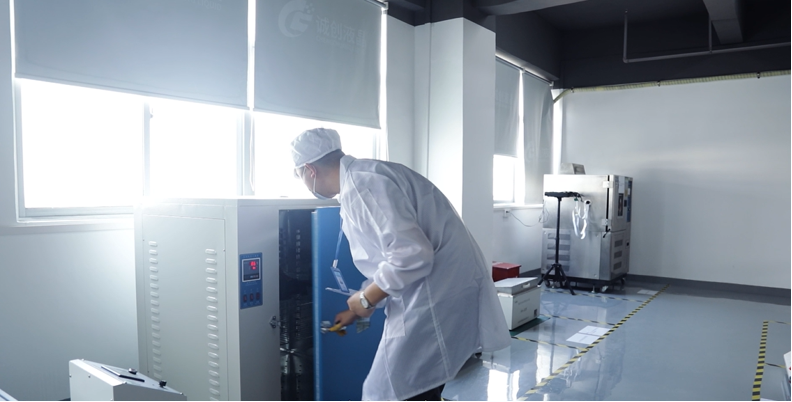
Run the display inside its final enclosure for the environmental tests, never as a bare module on a bench. A practical sequence is: 24-hour burn-in at maximum brightness to catch early LED and driver failures; thermal cycling between the specified minimum and maximum ambient with the equipment powered, checking for condensation, mura, and brightness drift; random vibration at the transport profile with the unit powered and monitored for link dropouts; ESD contact and air discharge on the bezel and touch surface; and a continuous 500–1000 hour run at elevated temperature to expose light guide yellowing and image sticking. Record luminance and chromaticity before and after, and set acceptance limits numerically — "looks fine" is not a criterion a supplier can be held to.
Integration of a stretched LCD module succeeds when the panel is chosen for a documented reason, the mechanics allow the glass to move, the optics are decided rather than inherited, and the thermal budget is measured instead of assumed. Every one of those is a design-review item that costs a drawing revision now and a field recall later.
KEYWORDS: stretched LCD module, bar-type LCD panel, industrial display integration, high-brightness LCD, LCD thermal management