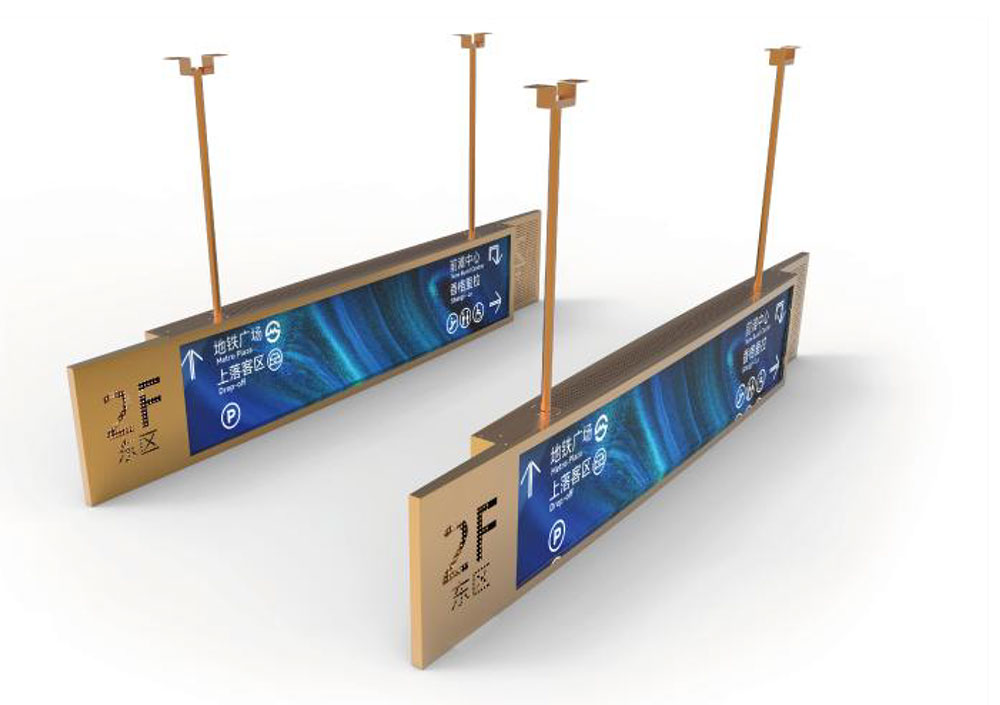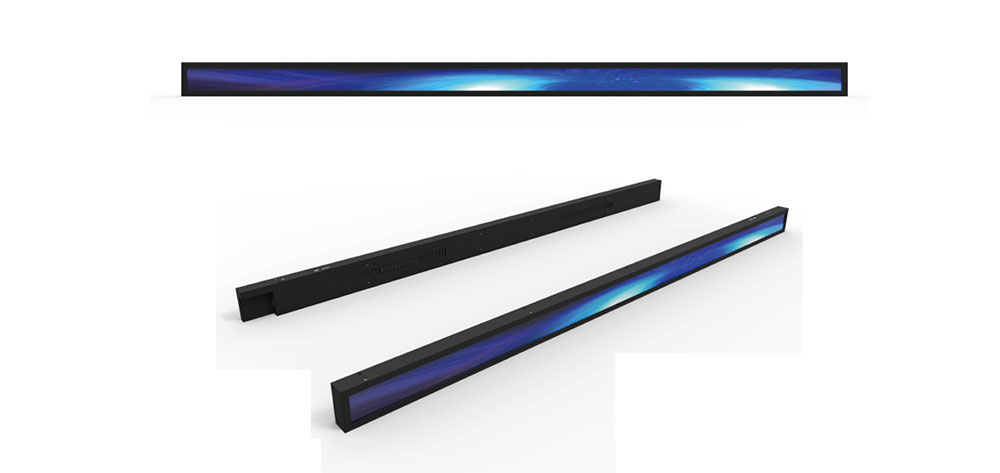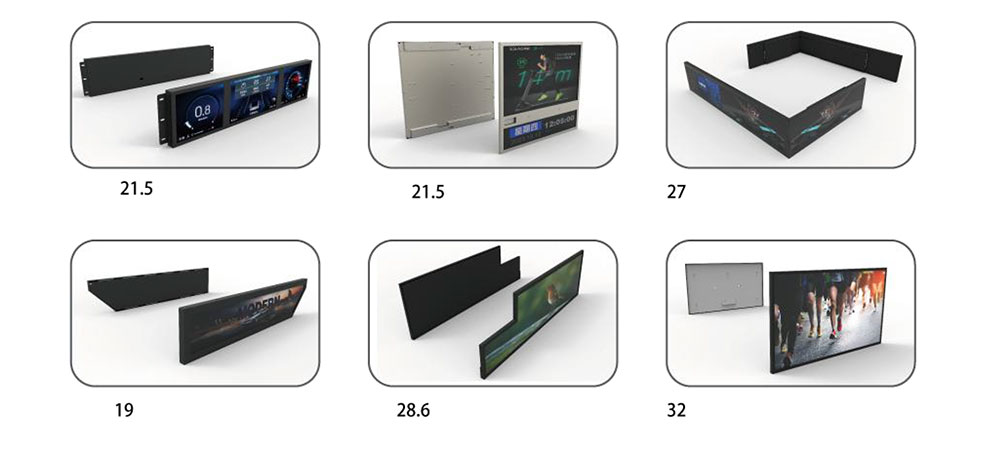
Status information in industrial equipment rarely arrives in a 16:9 rectangle. A rack-mounted power controller wants a 4:1 strip of fifteen indicator fields. A conveyor control cabinet wants a horizontal band across the top of the door that a technician can read from three meters away while walking. A test instrument wants a narrow horizontal readout that fits between a handle and a fan grille. These are the geometries that pushed bar type LCD displays — also called stretched, strip, or ultra-wide bar panels — out of the digital signage niche and into the mainstream of industrial monitoring hardware. This paper examines the engineering decisions that determine whether a bar-format display performs reliably for ten years in a factory environment, or becomes the component that fails first.
Why the Bar Form Factor Wins in Equipment Panels
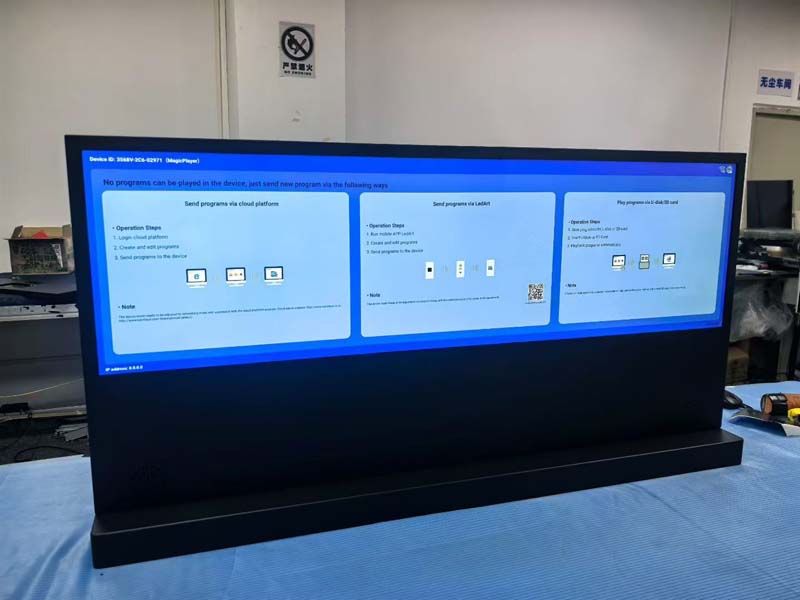
A bar display is a TFT LCD whose active area is cut to an extreme aspect ratio — typically between 3:1 and 8:1 — while retaining pixel density sufficient for text and numeric readouts. Three factors drive adoption.
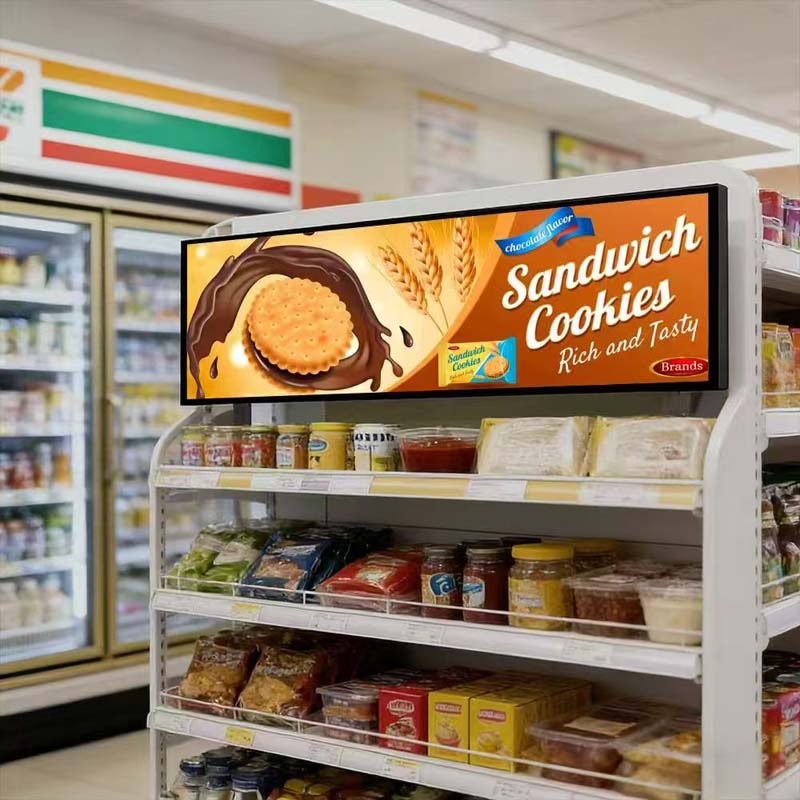
Panel real estate efficiency. Conventional 4:3 or 16:9 panels carry vertical rows of pixels that a single-line status message never uses. In a 3U chassis front panel, that unused height is height that must be given to something else, or that forces the enclosure to grow. A 4:1 bar panel delivers roughly three times the character capacity per unit of panel height compared with a landscape 16:9 panel of similar width.
Glanceability. Operators monitor equipment peripherally. A wide horizontal band maps naturally to the horizontal reading habit of a person scanning a rack of instruments left to right, and it allows fixed-format status columns to be laid out at consistent positions — a light-out condition is visible as a positional anomaly rather than something the operator must hunt for.
Mechanical integration. Bar panels are commonly stocked in widths from 40 mm to 300 mm diagonal-equivalent, with narrow borders and FPC tails that exit at a defined edge. They fit into aluminum extrusion channels, DIN-rail enclosures, and sheet-metal cutouts with less structural rework than a rectangular module plus a separate driver board.
Panel Architecture and Aspect-Ratio Arithmetic
Most industrial bar panels are a-Si TFT with an IPS or FFS pixel structure, driven by source and gate drivers bonded to the glass in COG (chip-on-glass) or COF (chip-on-film) configuration. The pixel array is fabricated on a mother glass substrate and then cut to the stretched outline; this is why bar panel cost per square centimeter is higher than commodity 16:9 panels — the cut yield is inherently lower and the driver count per unit area is higher.
Resolution choices fall into a few clusters. A 480 × 128 or 800 × 160 panel is adequate for segmented-style numeric and alphanumeric status fields. A 1920 × 480 or 1920 × 384 panel is the practical floor for anti-aliased text, small icons, and multi-column tables. Panels at 2880 × 640 and 3840 × 1080 serve HMI applications that display trend graphs alongside status text.
| Nominal size | Typical native resolution | Active aspect ratio | Typical industrial use |
|---|---|---|---|
| 3.9 in bar | 480 × 128 | 3.75:1 | Instrument readout strip, relay status row |
| 6.2 in bar | 640 × 180 | 3.56:1 | Compact controller front panel |
| 8.8 in bar | 1920 × 480 | 4:1 | Rack status band, KVM drawer |
| 12.3 in bar | 1920 × 720 | 2.67:1 | Transport and vehicle instrument bands |
| 16.9 in bar | 1920 × 540 | 3.55:1 | Multi-channel process monitoring |
| 28 in bar | 1920 × 384 | 5:1 | Aisle-mounted equipment status boards |
One integration trap deserves explicit warning: the pixel clock and timing of stretched panels are not standard VESA modes. A 1920 × 480 panel runs, in effect, a 1920 × 480 reduced-blanking timing that resembles a cropped 1080p frame. Many graphics controllers and SoCs will happily output it; others require a custom EDID, a custom timing entry in the LVDS bridge, or a scaler. Confirm the timing table with the panel supplier at the specification stage, not at the first-article build.
Brightness Budget and Backlight Architecture
Bar panels use edge-lit LED backlights with a light guide running along the long edge. Because the light must travel a long average distance before extraction, uniformity is the dominant optical challenge; the far end of the guide is the weak point. Suppliers manage this with dot-pattern density gradients and, on high-brightness versions, dual-sided LED entry. Ask for a nine-point or thirteen-point luminance uniformity report, and specify a minimum uniformity ratio rather than a typical value.
Brightness requirement should be derived from the actual ambient illuminance at the panel surface, not chosen by habit. As a starting rule:
- 300–500 cd/m² — indoor control rooms, cabinet interiors, dim ambient. Standard backlight, low power, longest life.
- 700–1000 cd/m² — factory floor with overhead lighting, mixed ambient. Needs anti-glare surface treatment.
- 1000–1500 cd/m² — direct overhead illumination, outdoor-adjacent bays, glazed plant corridors. Requires anti-reflective bonding and higher thermal headroom.
- 1500 cd/m² and above — direct sunlight readability. Usually demands active thermal management and carries a substantial lifetime penalty unless the derating is engineered in.
Every doubling of backlight current roughly doubles the LED junction temperature rise and compresses lifetime nonlinearly. A 1000 cd/m² panel that is dimmed to 30 % during normal operation will outlast an identical panel run at full brightness by a wide margin; PWM dimming at a frequency above 2 kHz avoids both audible artifacts and visible banding in camera-based inspection systems.
Interface Selection and the Signal Chain
| Interface | Practical lane count | Strength | Constraint |
|---|---|---|---|
| Parallel RGB | 24-bit + sync | Simple, no protocol, deterministic | Cable length limited, high EMI, many conductors |
| LVDS (single/dual) | 4–8 pairs | Mature, robust, long-proven in industrial | Bandwidth ceiling; dual-link wiring complexity |
| MIPI DSI | 2–4 lanes | Compact, low pin count, common on SoCs | Short trace budget, sensitive to connector quality |
| eDP | 1–4 lanes | High bandwidth, embedded clock, good for 1920+ widths | Requires link training; layout discipline |
For equipment status panels under 1920 pixels wide, single or dual LVDS remains the pragmatic default: the ecosystem of transmitters is broad, cable assemblies are inexpensive, and the signaling tolerates the longer internal harness runs common in cabinet builds. Above 1920 pixels, or where the host SoC exposes only eDP, eDP is the better choice. MIPI is attractive for compact modules but punishes poor flex design — specify controlled impedance, keep the FPC tail short, and avoid routing the display tail parallel to motor drive cabling.
Do not overlook the backlight driver. Constant-current boost drivers with I²C or PWM dimming control allow the host to implement ambient-light-adaptive brightness, which extends backlight life and reduces operator fatigue. Specify the driver's open/short protection behavior explicitly: a status panel that goes dark because one LED string opens is an operational risk, not just a cosmetic defect.
Environmental Hardening
Industrial bar panels are routinely specified for −30 °C to +80 °C operating and −40 °C to +85 °C storage, but the headline number hides the real constraint: response time and contrast degrade at low temperature, and the liquid crystal can exhibit a smeared, slow-switching appearance below −20 °C. For cold-start applications — outdoor cabinets, cold storage, unheated plant in winter — consider a transparent heater film bonded to the panel or a heated cover glass, with a thermistor-driven controller that blocks the backlight until the panel exceeds its minimum operating temperature.
At the hot end, the limiting factor is usually the polarizer and the LED package, not the liquid crystal. In a sealed IP65 enclosure with no airflow, the internal air temperature can run 15–20 °C above ambient. A panel specified to +70 °C with a backlight dissipating 6 W in a sealed box at 40 °C ambient has no margin. Either derate the brightness, add a thermal path from the panel frame to the enclosure wall, or specify a higher-temperature panel.
Optical Bonding and Surface Treatment
An air gap between the LCD and the cover glass produces two refractions and roughly 4–8 % additional reflection, which in a bright plant manifests as a washed-out display at exactly the angles an operator standing at the machine will view it from. Optically clear adhesive bonding eliminates the internal reflections, improves contrast under high ambient light, and adds mechanical rigidity and impact resistance. The trade-off is repairability — a bonded stack is not field-serviceable — and cost.
Surface treatment matters equally. Anti-glare (AG) etching scatters specular reflections and is the correct choice for bright, multi-source lighting. Anti-reflective (AR) coating maximizes transmission and contrast but shows fingerprints. Hard-coat anti-smudge treatments suit touch-enabled panels. For status panels viewed at a fixed angle from below, consider a louvered or directional film to suppress ceiling-light glare — but verify the resulting viewing cone against the actual operator positions before committing.
Viewing Angle and Orientation
IPS and FFS panels hold contrast and color reasonably well off-axis, but bar panels are frequently mounted at an angle — tilted up on a console, or high on a cabinet viewed from below. Request the iso-contrast plot, not just the "89/89/89/89" headline, and check the specific vertical angle of the installed viewing position. The 6 o'clock and 12 o'clock asymmetry of some panel types is invisible in the datasheet summary and very visible on the machine.
Information Design for Status Panels
A bar display in a monitoring role is not a general-purpose screen. Its job is to be read correctly in under two seconds by a person who is not looking directly at it. Design consequences follow.
- Fixed field positions. Each monitored parameter occupies a stable column. Movement of information between refreshes defeats peripheral recognition.
- Redundant encoding. Color alone is insufficient — approximately 8 % of male operators have some color vision deficiency, and color perception shifts with viewing angle on TN-derived panels. Pair color with a shape, icon, or explicit text state.
- Numeric legibility. At typical viewing distances of 1–3 m, character height should be at least 5–8 mm on the panel surface. Verify by rendering the actual font at the planned pixel height and viewing it from the installation distance, not by trusting a diagonal-inch figure.
- Fail-visible behavior. Define what the display shows when the host processor hangs, the signal cable is disconnected, or the backlight driver faults. A frozen screen displaying a stale "NORMAL" is the worst possible failure mode. Many industrial designs include a watchdog-driven heartbeat indicator or a host-controlled "display alive" element.
- Night and day modes. A 1000 cd/m² panel at full brightness in a dark control room is a glare source. Provide at least two brightness presets, ideally ambient-linked.
Reliability: What Actually Fails
Field return data from industrial display deployments consistently points to a small set of failure mechanisms. Designing against them is more valuable than adding generic MTBF claims to a datasheet.
- Backlight LED degradation and open-circuit failure. Lumen depreciation follows an exponential curve with junction temperature. Derate current, provide a thermal path, and validate the driver's behavior on a single-string open.
- FPC tail fatigue. Repeated door opening, vibration, or a poorly strain-relieved harness will crack the flex. Specify a tail length that allows a service loop, anchor the tail mechanically, and avoid sharp bends below the manufacturer's minimum radius.
- Connector fretting and corrosion. In humid or sulfur-bearing atmospheres (rubber processing, wastewater, some food plants), tin-plated contacts degrade. Specify gold flash on fine-pitch connectors and confirm conformity with the site's contaminant profile.
- Polarizer and seal degradation under UV and humidity. Relevant for panels behind clear windows or in wash-down areas. Specify the humidity resistance rating and consider a gasketed front bezel with a desiccant or breathable membrane vent.
- Image sticking. A static status layout displayed for years at constant brightness can leave a faint residual pattern. Mitigate with periodic pixel-shift of a few pixels, brightness modulation, or an occasional full-screen inversion cycle in the firmware.
Qualification Test Plan
| Test | Method / condition | Acceptance focus |
|---|---|---|
| Thermal cycling | −30 °C to +80 °C, 100 cycles, powered and unpowered variants | No delamination, no seal breach, stable luminance |
| Damp heat | 60 °C / 90 % RH, 500 h | No polarizer haze, no ITO corrosion, insulation resistance |
| Random vibration | 5–500 Hz, 1.5 g RMS, three axes | No FPC crack, no connector displacement |
| Mechanical shock | Half-sine, 30 g, 11 ms | No glass chip, no bond failure |
| ESD | Contact ±8 kV, air ±15 kV at bezel and connectors | No latch-up, no permanent pixel defect |
| Luminance endurance | 1000 h at rated current, 60 °C ambient | Depreciation within specified curve; no hot spot |
| Backlight driver fault | Open and short a single LED string | Defined, safe, and visible behavior |
| Optical bond integrity | Thermal shock followed by autoclave | No bubble formation at edges |
Integration Checklist
The following items are the ones most frequently discovered too late in an industrial bar-panel program.
- Timing table and EDID confirmed against the actual host output, including reduced-blanking support.
- Mechanical drawing reviewed for active-area position, not just outer dimensions — bar panels are often asymmetric within their frame.
- Backlight current budgeted against total enclosure thermal load, not against the panel KEYWORDS: Bar Type LCD Displays for Industrial Monitoring and Equipment Status Panels