Why the Stretch Format Changes the Integration Problem
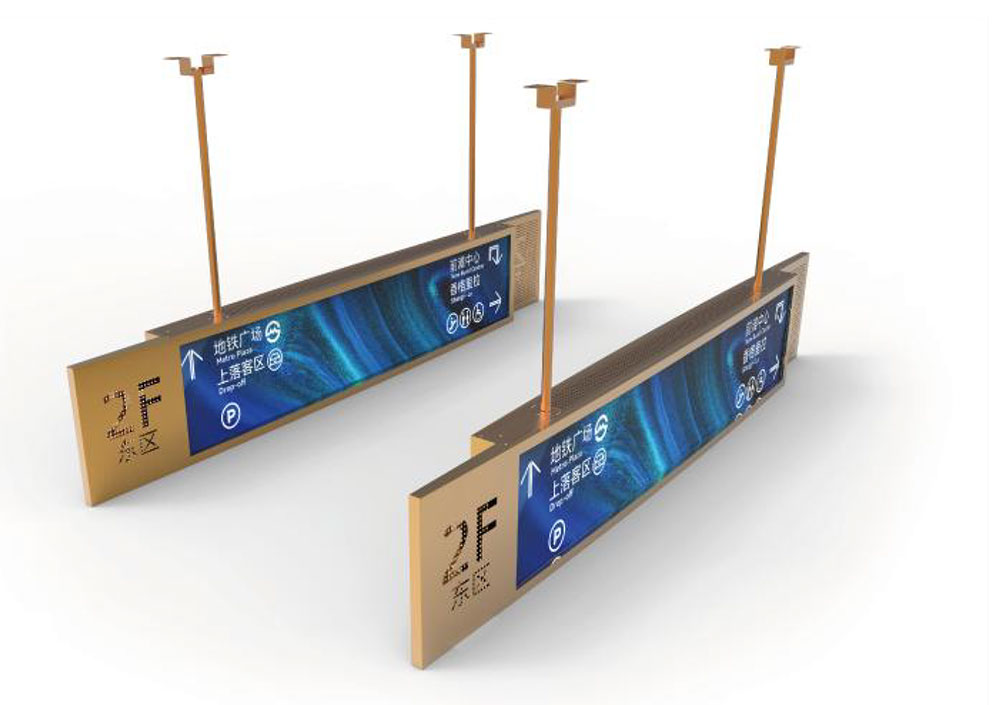
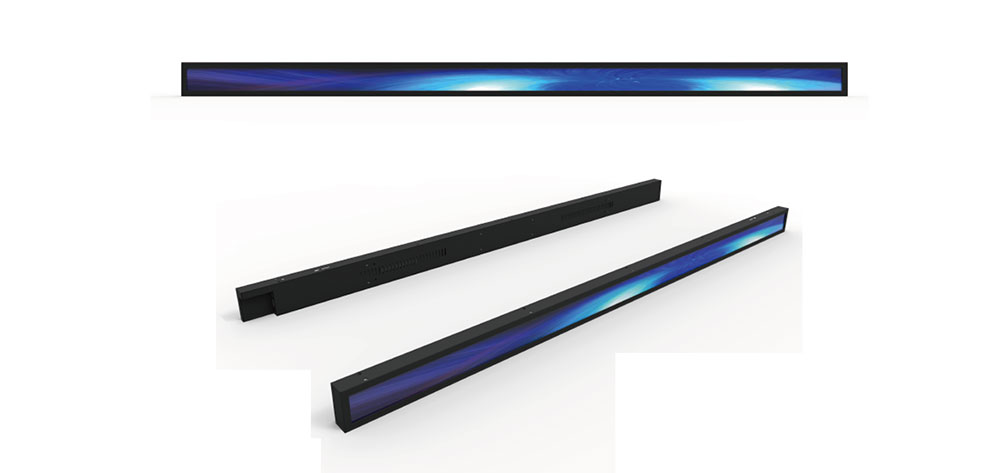
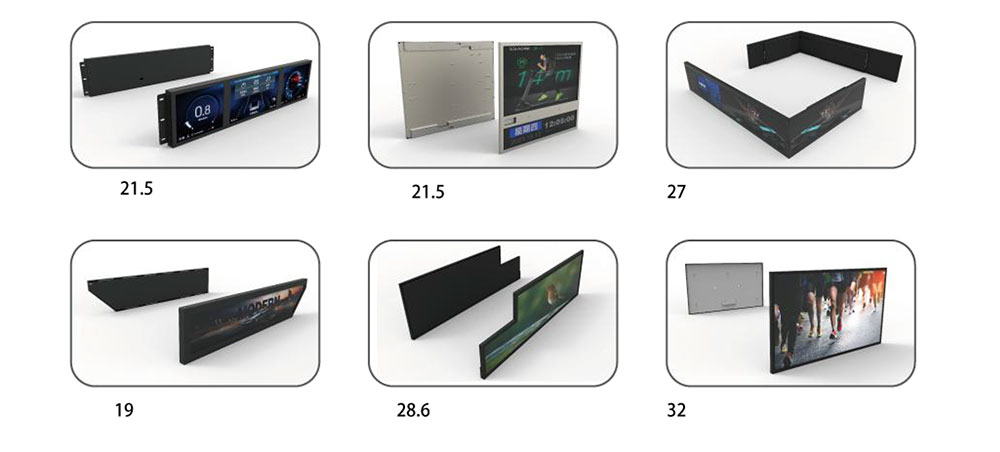
An ultra-wide LCD is not simply a standard 16:9 panel with the vertical cropped away. It is a distinct product class with its own aspect ratio conventions, backlight geometry, timing sets, mechanical tolerances and certification profile — and those differences are exactly where indoor signage projects succeed or fail. A 1920×540 or 3840×1080 bar display is typically installed above a shelf, beneath a ceiling, on a transit platform fascia, over a quick-service counter, or inside a conference room as a companion to a video wall. The installer has millimetres of clearance, the content team has a fixed pixel canvas, and the facilities manager has a mounting substrate that was never designed for a 6–12 kg cantilevered load. Integrating the display is therefore an exercise in coordinating four disciplines at once: photometry, signal chain, mechanical structure and compliance documentation.

Panel Architecture and Optical Performance
Most indoor stretch displays use an a-Si TFT LCD with a direct-lit LED backlight. The native resolutions follow the format's arithmetic rather than broadcast standards. Common options include 1920×540 (approximately 32:9 on a 28.6-inch diagonal), 2880×900, 3840×1080 and 5120×1440, alongside narrower bars such as 1920×357 for shelf-edge rails. Because the vertical pixel count is low, the effective pixel pitch is often larger than on a comparable 16:9 monitor, which raises two consequences: viewing distance must be increased relative to a standard display of the same diagonal, and content designed for a 1080-pixel-tall canvas will require re-authoring rather than letterboxing.
Brightness specification deserves scrutiny. Figures quoted on datasheets are usually peak white in the centre at 25 °C, and the practical figure is the sustained full-screen value after thermal equilibrium. For indoor signage, the following starting points hold up well in field installation:
| Environment | Typical ambient illuminance | Recommended sustained brightness |
|---|---|---|
| Office corridor, meeting room, control room | 300–500 lux | 500–700 cd/m² |
| Retail aisle, supermarket shelf edge | 500–1,200 lux | 700–1,000 cd/m² |
| Quick-service menu board, concourse fascia | 1,000–2,000 lux | 1,000–1,500 cd/m² |
| Window-facing or atrium skylight zone | 5,000–20,000 lux | 1,500–3,000 cd/m² + AGLR front polariser |
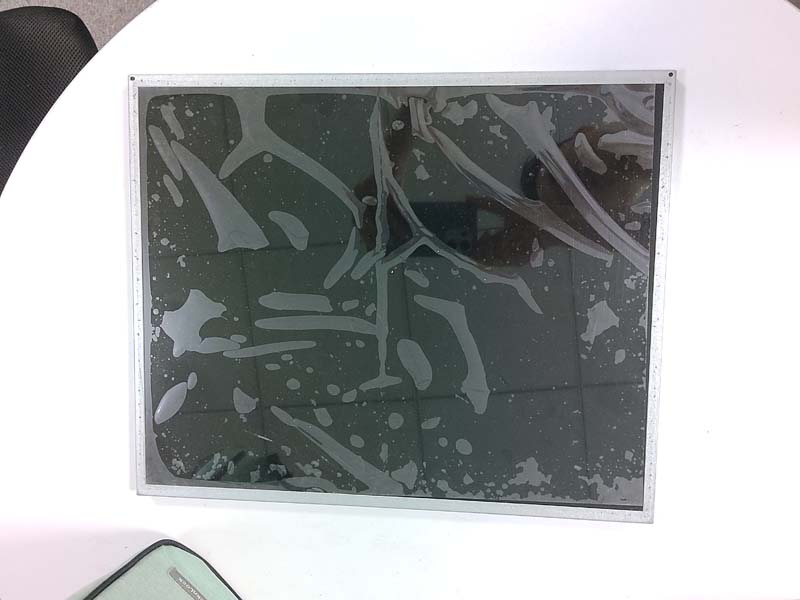
Above roughly 1,000 cd/m², surface treatment matters more than raw output. An anti-glare, low-haze front polariser (haze in the 25–40 % range) suppresses mirror images of ceiling luminaires without visibly softening text; a glossy front surface with high brightness produces a brighter picture on paper and an unreadable one in a lit room. Where the display sits in a glazed entrance, specify anti-glare plus anti-reflection (AGLR) and verify the reflectance value, not just the haze.
Contrast and uniformity follow the backlight topology. Edge-lit units are thin enough to slip into shallow fascias but show corner falloff on a 32:9 canvas; direct-lit units with local dimming deliver better black uniformity and lower power at reduced average picture level, at the cost of depth and weight. Ask for a 9-point or 13-point luminance uniformity report and a measured white-point deviation figure (Δu'v' ≤ 0.005 is a reasonable acceptance threshold for multi-unit installations).
Signal Chain, Timings and Control
Ultra-wide panels sit outside the timing conventions most media players assume. Integration work should confirm, in writing, the exact supported timing list, including the horizontal and vertical front porch values, because some panels accept their native resolution only through a specific interface. Practical guidance:
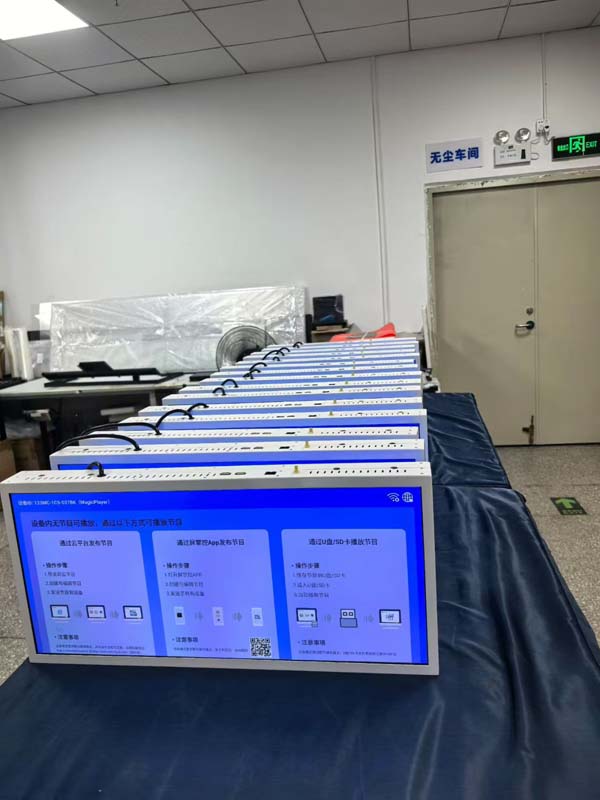
- Interface matching. HDMI 2.0 handles 3840×1080 at 60 Hz comfortably; DisplayPort 1.2 or later is the safer primary input where the native timing is non-standard or where MST daisy-chaining is required. Some bars accept dual-input "two-screen" modes that split the canvas into two independent 1920×540 regions — useful for video wall controllers but a trap for CMS platforms that expect a single EDID block.
- EDID discipline. Lock the source output to the panel's native resolution and disable GPU scaling. A player that silently outputs 1920×1080 into a 1920×540 panel will crop 50 % of the content or introduce interpolation blur that no amount of sharpening recovers.
- Control and monitoring. RS-232C, LAN-based control (PJLink-style or vendor JSON/HTTP APIs), IR and CEC are the usual remote-control paths. For 24/7 estates, insist on a documented command set that exposes power state, input select, brightness read-back, backlight hours and internal temperature — these four telemetry values are what predictive maintenance actually runs on.
- Media players and SoC variants. System-on-chip models with an embedded player reduce box count and cabling but complicate firmware governance. Where the CMS vendor is fixed, verify that the player's browser engine and video decode profile match the CMS output; HTML5 signage widgets that rely on hardware video decode of H.264 at non-standard canvases frequently fail on embedded players.
Mechanical Integration and Structure
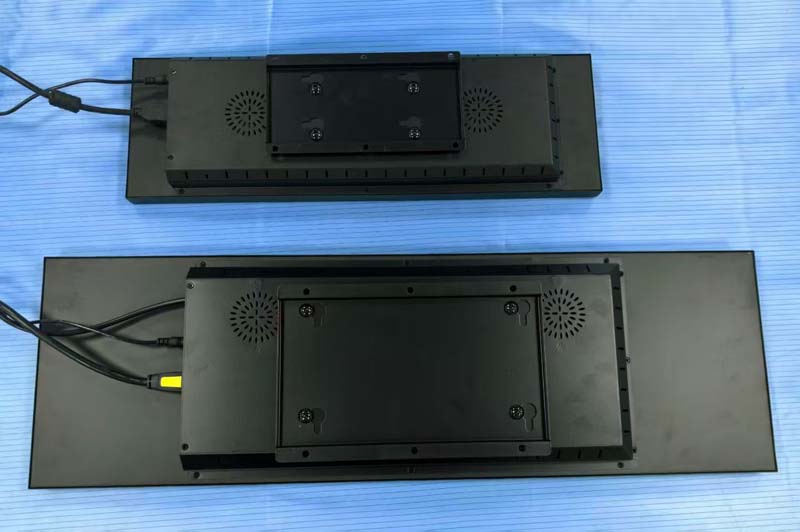
A stretch display concentrates mass far from the mounting centre. An 8 kg bar of 1.2 m width mounted on a 200×200 mm VESA pattern produces a substantial moment at the wall interface, and the failure mode in retrofit projects is rarely the display — it is the plasterboard anchor or the unbraced stud.
- Use the manufacturer's specified VESA pattern and screw depth; over-long screws are the leading cause of internal damage on slim chassis.
- Design the mounting substrate for at least four times the display-plus-bracket mass, and verify pull-out capacity of anchors in the actual substrate, not the catalogue value.
- For ceiling-hung or fascia-recessed installations, provide a secondary retention tether independent of the primary bracket.
- Respect orientation limits. Many bars are landscape-only; portrait use changes the thermal path and the polariser ageing profile.
- Leave service clearance for cable access and for panel removal — 50 mm behind and a removable fascia section is a practical minimum.
- Where the bar sits above a walking route, check protruding-object rules for the jurisdiction (commonly a 100 mm limit on wall-mounted objects between certain heights in accessibility codes) and confirm the bottom edge does not intrude into an egress path's required clear width.
Thermal, Power and Duty Cycle
Indoor signage runs 16–24 hours a day for years. Heat is the dominant ageing factor for LED backlights and for the polariser, and a bar display enclosed in a sealed fascia with no convective path will run 10–15 °C above its free-air test condition. Design for a thermal chimney: intake at the bottom, exhaust at the top, no obstruction within 100 mm of either. Where the ambient exceeds 40 °C — plant rooms, glazed atria, above cooking lines — a fan-assisted or air-conditioned enclosure is required, and the display's altitude and ambient derating curves must be applied rather than assumed.
Power budgeting should use measured consumption at the intended brightness and typical picture level, not the label maximum. A 1,000 cd/m² bar at 30 % average picture level commonly draws 40–60 % of its rated maximum, which materially changes circuit loading when a retail aisle carries fifteen units on one ring main. Specify a dedicated circuit or at least separate the signage load from general lighting where inrush current on cold start could trip shared protection.
Image Retention and Content Hygiene
Static logos, price fields and channel bugs are the standard risk on a signage panel. Mitigation is programmatic, not cosmetic: enable pixel-shift (typically ±4 pixels on a slow cycle), schedule a full-screen moving pattern during closed hours, avoid full-white or high-contrast fixed elements for more than a few minutes, and use brightness scheduling so that overnight brightness drops to 30–40 % when footfall is nil. Where the CMS supports it, rotate price-field positions weekly. Document these settings in the handover pack so that a future content edit does not silently undo them.
Safety and Compliance Documentation for the Integration Package
Nothing derails a signage handover faster than a compliance file with gaps. The display's own certification is necessary but not sufficient; the integrator must also be able to show that the installation, enclosure and power distribution are covered. A complete documentation set for an indoor ultra-wide installation typically includes:
| Document | What it evidences |
|---|---|
| Safety certificate to IEC/EN 62368-1 (and UL 62368-1 / CSA C22.2 No. 62368-1 for North America) | Audio/video and IT equipment safety; the current hazard-based standard, replacing the older IEC 60950-1 approvals |
| EMC test report — FCC 47 CFR Part 15 Subpart B (Class A/B) and EN 55032 with EN 55035 immunity | Emissions and immunity; note that Class A is the usual signage classification and carries a commercial-environment warning |
| Photobiological safety assessment to IEC/EN 62471 | Optical radiation hazard classification, including blue-light weighted radiance for the intended viewing distance |
| CE Declaration of Conformity / UKCA declaration, plus RoHS, REACH and WEEE statements | Market access and substance restrictions for the European and UK markets |
| Flammability evidence for the enclosure and internal plastics (UL 94 V-0, IEC 60695 glow-wire where applicable) | Fire enclosure performance if the unit is built into furniture or a bespoke fascia |
| Glass specification and, for touch or front-glass variants, EN 12150 tempered-glass and fragmentation data | Breakage behaviour in public areas; absence of large splinter hazards |
| Mounting hardware load rating with stated safety factor, and seismic or wind-load qualification where relevant | Structural adequacy of the bracket and fixings |
| Installation manual with clearance, torque, ventilation and lifting instructions; service manual; warning labels in local language | Installer and maintainer competence requirements, and the "no user-serviceable parts" statement |
| IP rating declaration (if any) and cleaning agent compatibility list | Ingress protection claims and prevention of solvent damage to the front polariser and coatings |
| Battery and accessory declarations (remote controls, coin cells) with transport and disposal notes | Button-cell safety obligations in several jurisdictions |
| Asset register, serial numbers, firmware baseline and commissioning records | Traceability for warranty and for future safety audits |
Two documentation habits prevent most audit problems. First, keep the declarations matched to the exact model and hardware revision shipped — a certificate for a similar part number is not evidence. Second, record the as-installed condition: measured clearances, anchor type and torque, ambient temperature at the top exhaust after a two-hour soak, and the configured brightness and pixel-shift settings. That record is the difference between a compliant installation and one that merely looks compliant.
Commissioning Checklist
- Confirm native timing and pixel-perfect output at the source; verify no overscan or scaling.
- Measure centre and corner luminance after 30 minutes at operating brightness; compare against the specification with the acceptance tolerance agreed in the contract.
- Verify uniformity and white point across all units in a multi-display run before the fascia is closed.
- Log internal temperature at thermal equilibrium at top and bottom of the enclosure.
- Confirm network/RS-232 control, telemetry read-back and scheduled power events function across a full on/off cycle.
- Record brightness schedule, pixel-shift state and any local-dimming mode, and hand the settings to the content owner.
- Check egress clear width, protruding-object limits and cable routing against the local code having jurisdiction.
- Assemble the compliance folder and deliver it with the asset register.
Conclusion
Ultra-wide LCDs earn their place in indoor signage because they fit architectural lines that 16:9 panels cannot — a shelf rail, a counter fascia, a corridor soffit. Getting them to work reliably is less about the panel and more about the discipline around it: native timing enforced at the source, brightness matched to measured ambient rather than to a datasheet, mounting designed for an off-centre moment load, thermal paths kept clear in sealed fascias, and a compliance file that covers the installation and not just the box. Teams that treat the safety documentation and the commissioning record as deliverables in their own right tend to be the ones whose signage estates stay legible and audit-clean for the whole of a seven-year service life.
KEYWORDS: ultra-wide LCD display, stretch LCD signage, indoor digital signage integration, high brightness LCD panel, LCD safety compliance