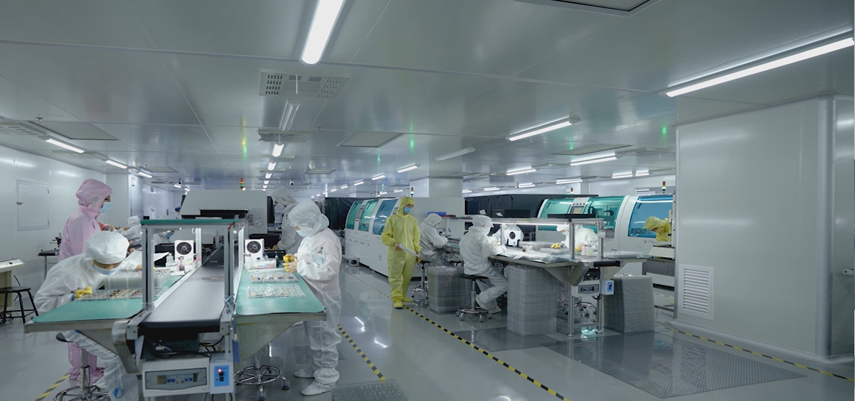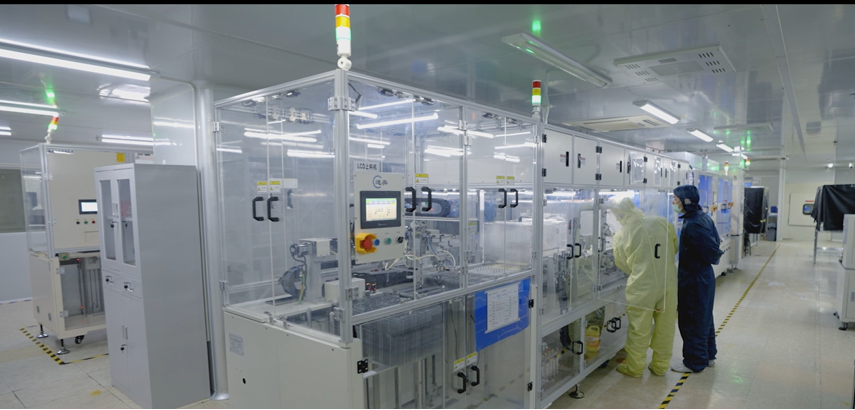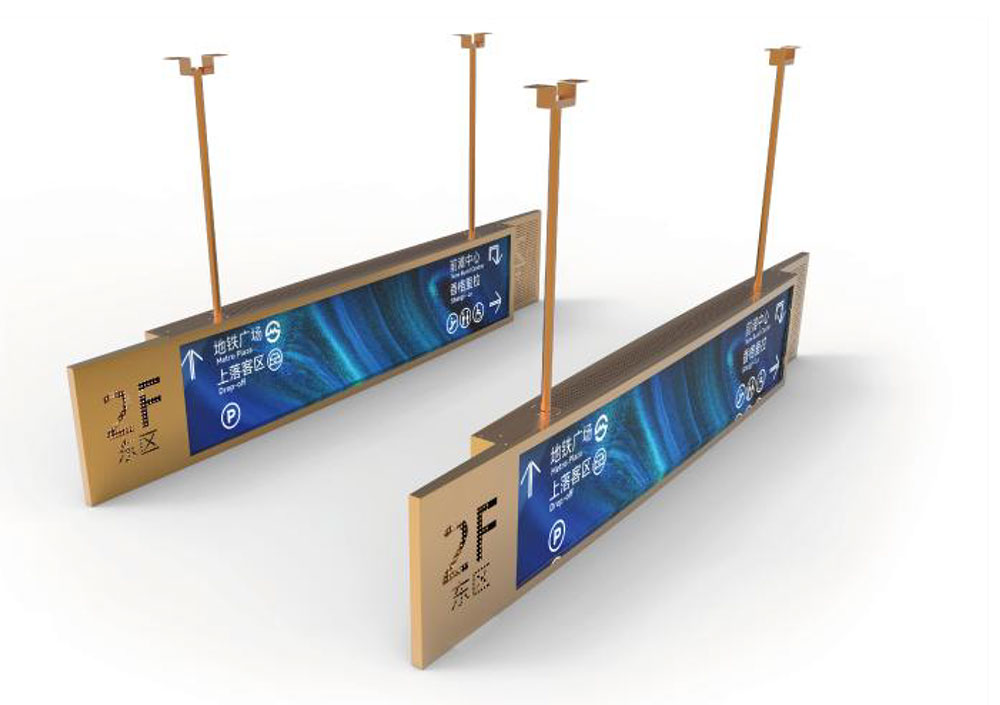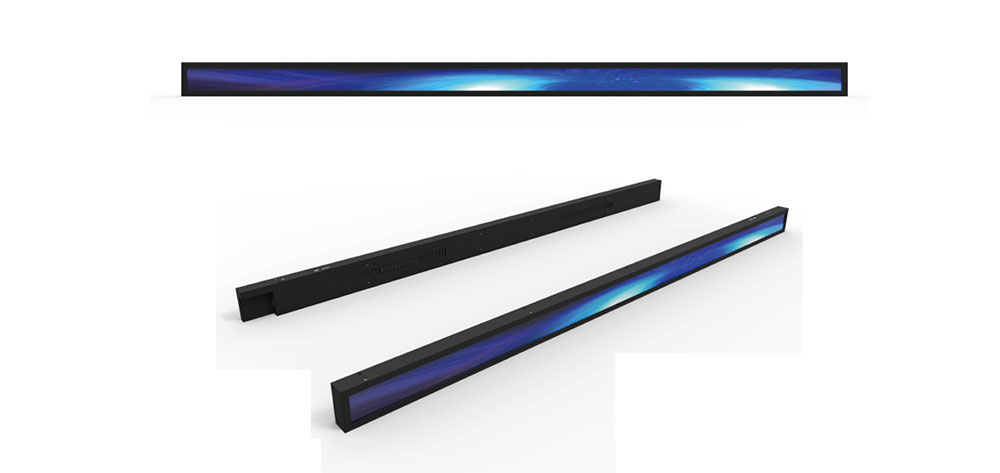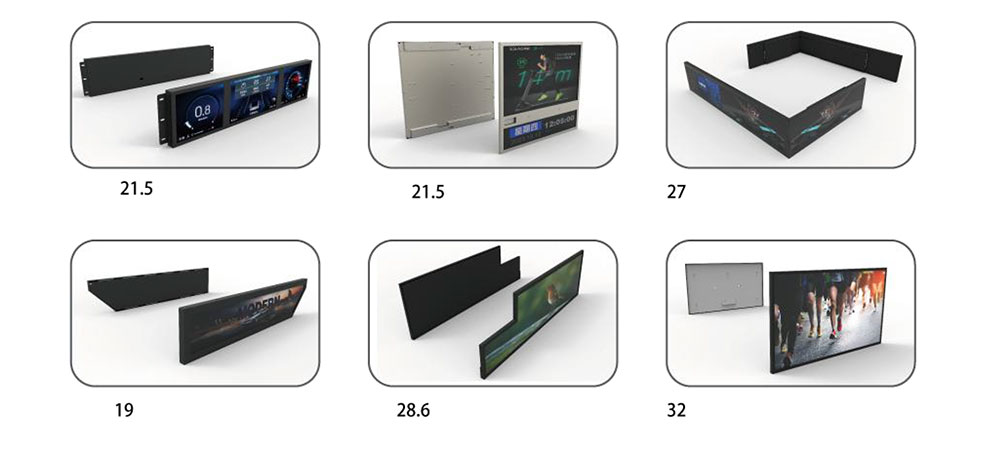
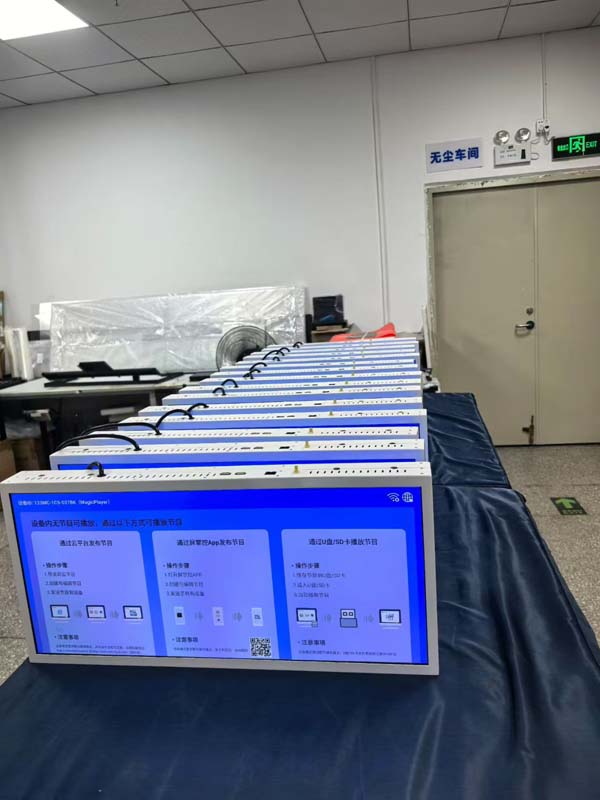
A stretched LCD — also called a bar-type, strip, banner, or ultrawide display — is any liquid crystal module whose active area deviates sharply from the 16:9 and 4:3 shapes that panel fabs were designed around. You see them in supermarket shelf rails, vending fronts, car dashboards, elevator indicators, gaming peripherals, medical rail systems, and industrial control panels. They look simple from the outside and are surprisingly unforgiving to specify. This guide walks through the decisions a product team must lock down before an RFQ goes out, in the order that actually matters.
1. Start with the Application Envelope, Not the Panel
Stretched displays fail in the field for reasons that have nothing to do with the panel glass: a backlight that cannot survive a sealed enclosure, an FPC that cracks after 20,000 door slams, a cover lens that fogs under a temperature gradient. So before anyone talks about resolution, write down the envelope:
- Viewing distance and angle. A shelf-edge strip read at 60 cm needs different pixel density and brightness than a 2 m wide transit banner read at 8 m.
- Ambient light. Indoor 200–500 lux, retail window 10,000–20,000 lux, direct outdoor sun 100,000+ lux. This single number drives brightness, contrast, and whether you need an anti-reflective treatment.
- Orientation. Portrait-mounted bars behave differently thermally — heat rises into one end of the light bar and produces a brightness gradient.
- Duty cycle and lifetime expectation. 24/7 signage at 1,000 nits for seven years is a different product from a battery-powered handheld used 20 minutes a day.
- Enclosure and ingress. Does the front face need IP65? Is the rear cavity vented or sealed? A sealed cavity turns the module's own backlight into a heater.
- Regulatory and market. CE/UKCA, FCC, RoHS/REACH, UL 62368-1, and for automotive the relevant E/E and EMC standards.
2. Choose the Aspect Ratio and Active Area — and Understand the Cost Curve
There are three commercial routes to a stretched format, and they differ by an order of magnitude in cost:
| Route | What it means | Typical NRE | Typical MOQ |
|---|---|---|---|
| Off-the-shelf bar panel | Existing sizes such as 6.86", 8.8", 12.3", 23.1", 28.6", 37", 47.6" with fixed active areas | None to low | Low, often stock |
| Module-level customization | Standard glass, custom backlight, FPC, cover glass, bonding, cable and housing | US$3k–20k | 500–2,000 pcs |
| Custom TFT array (new mask set) | New photomask set and glass layout at the fab | US$100k–400k+ | 5,000–20,000 pcs |
The practical implication: design your product's mechanical envelope around an existing bar panel if you possibly can. If marketing insists on a 137.4 mm viewing height that no panel provides, ask what the change is worth — because a new mask set plus a 16–24 week fab cycle is a six-figure decision that also freezes your supply chain to one source.
When you do specify a custom active area, state it as the active area (AA), not the outline, and give it in millimetres to two decimals. Then separately state the outline dimensions, the bezel width on all four sides, and the position of the AA within the outline. Ambiguity here is the single most common cause of a scrapped first tooling round.
3. Resolution and Pixel Density
Bar displays cluster around a handful of native resolutions: 480×1280, 480×1920, 1280×480, 1920×540, 3840×1080. Choose a resolution your host SoC can actually drive without an external scaler, and check that the timing fits the interface bandwidth — 1920×540 at 60 Hz is roughly 62 Mpixel/s and sits comfortably inside single-lane LVDS; 3840×1080 at 60 Hz does not.
Compute pixel density from the short dimension. A 28.6" bar at 1920×540 gives about 69 PPI across the height — fine for text at 2 m, marginal at 500 mm for small UI labels. If your UI has 12 px text, either reduce the viewing distance requirement or move to a higher-density panel.
Specify the colour depth explicitly: 6-bit + FRC versus true 8-bit. Many bar panels are 6-bit + FRC, which is invisible in photography but can produce visible dithering on smooth gradients — a real problem for brand-colour backgrounds in retail signage.
4. Brightness: The Number Everyone Fixes On, and the One That Matters Less Than They Think
Luminance is specified in cd/m² (nits) at the centre of the screen, at 25 °C, after a defined warm-up (typically 30 minutes), with all pixels white. Real numbers to plan against:
- 500–700 nits: indoor controlled lighting, kiosk interiors, appliances.
- 1,000–1,500 nits: bright retail, window-facing signage, automotive infotainment.
- 2,000–3,000 nits: window displays and semi-outdoor where the sun can hit the glass.
Two traps. First, high brightness and high contrast fight each other: contrast ratio is white luminance divided by black luminance, and raising the backlight also lifts the black level. A 1,500 nit panel with 1,000:1 contrast has a black level of 1.5 nits; under 20,000 lux ambient that black looks grey. The fix is not more backlight — it is an anti-reflective front surface (AR coating or bonded circular polarizer), which can cut reflected ambient by 90% and do more for perceived contrast than doubling the LEDs.
Second, specify where the nits are measured and how uniform they must be. A single-edge LED light bar on a 500 mm wide strip will run hotter and brighter at the LED end. Demand a 9-point (or 13-point) uniformity figure — 75% minimum for general signage, 80–85% for premium retail — and ask for the measurement report at both 25 °C and the maximum operating temperature.
5. Optical Performance
Beyond luminance, pin down these:
- Contrast ratio: 800:1 to 1,200:1 for TN/IPS a-Si modules in dark-room conditions. State the measurement condition, because "3000:1" claims usually come from dynamic-contrast marketing rather than a static measurement.
- Viewing angle: CR ≥ 10 defined as θv/θh, typically 85/85/85/85 for IPS. For a bar display mounted flat in a shelf rail, the critical angle is often the vertical one — the shopper looks down at 30–45°.
- Colour gamut: sRGB/Rec.709 coverage versus NTSC ratio. State which. 70% NTSC and 100% sRGB are different claims and vendors quote whichever flatters them.
- Response time: 8–25 ms typical for IPS. Only matters if you are showing video or fast-scrolling tickers.
- Surface treatment: anti-glare (AG) haze percentage, anti-reflective (AR), or anti-fingerprint (AF). AG at 3–7% haze is a good default for signage; AR is worth the cost in window-facing units.
6. Interface, Timing Controller, and Electronics
Decide the interface early because it constrains the FPC and connector, which in turn constrain the mechanical design.
- LVDS — the workhorse for 7" and above. Single or dual channel; specify lane count, bit mapping (VESA vs JEIDA), and whether the panel expects an internal or external clock.
- MIPI DSI — common on 4–10" bars running from mobile-class SoCs. Specify lane count and D-PHY version; verify your SoC's maximum pixel clock against the panel's blanking requirements.
- eDP — best for high-resolution bars such as 3840×1080, and the easiest to drive from x86 and modern ARM application processors.
- RGB/SPI — only at small sizes and low resolution; fine for 480×128 status strips on a microcontroller.
Ask for the panel's timing specification table (Hsync, HBP, HFP, Vsync, VBP, VFP, minimum and maximum clock) and confirm it against your driver before layout. Also confirm the initialisation sequence: many bar panels need a vendor-specific register write sequence at power-up, and a few need it re-sent after a reset. If the vendor will not supply the init code, you cannot bring the product up.
Specify the FPC: length, bend radius, exit direction (top/bottom/left), connector type and pin count, and whether a shield layer or stiffener is needed. If the FPC must fold inside a hinge or a sliding mechanism, say so explicitly and request a dynamic-bend-rated flex — a static flex will fail in fatigue within tens of thousands of cycles.
7. Touch and Cover Glass
For interactive bars, projected capacitive (PCAP) is standard. Key decisions:
- Bonding: optical clear adhesive (OCA) or OCR full lamination versus air gap. Full lamination improves contrast, eliminates internal reflections and condensation, and adds cost and rework risk. Air gap is cheaper and acceptable for indoor, non-critical applications.
- Cover glass: thickness (0.7 / 1.1 / 2.0 mm), chemically strengthened (ion-exchanged) or not, printed black border with register tolerance, and any holes or cut-outs. Specify the border print width and its tolerance to the AA — this is where a 0.2 mm error becomes a visible lit sliver.
- Touch controller: I²C or USB, report rate, multi-touch count, glove and wet-finger support if relevant. Ask whether the controller supports a "thick glove" tuning profile; retail and industrial users will wear gloves.
- EMC: a PCAP sensor behind a bright backlight can pick up noise from the LED driver. Ask for the vendor's tested combination of panel driver and touch controller, not two separately qualified parts.
8. The Mechanical Drawing Is the Contract
A stretched module's drawing should contain, at minimum:
- Outline dimensions with general tolerance (±0.2 mm is typical; call out ±0.1 where it matters).
- Active area, with its position referenced to two datums.
- Bezel widths, all four sides, separately — bars are rarely symmetric.
- Overall thickness including the tallest component (usually the connector or a stiffener), and a separate thickness at the FPC exit.
- Mounting features: threaded inserts, M1.6/M2 bosses, or taped frame — plus the maximum screw torque and the maximum frame deflection before the glass sees stress.
- FPC exit point, bend direction, and keep-out zone.
- Polarizer orientation and the position of any front-surface markings.
- Weight, with tolerance — a 47" bar can swing by hundreds of grams between backlight variants.
Also ask for the panel stack-up drawing and the recommended mounting method. A long, thin module is a beam: clamp it at the ends only and the middle will bow under its own weight, stressing the glass and shifting the cell gap, which shows up as a mura blotch in the centre. Vendors who supply bar products usually have a recommended support spacing — ask for it in writing.
9. Environmental and Reliability Specifications
Write these as pass/fail criteria with test methods, not adjectives. A defensible baseline:
- Operating temperature: 0 to +50 °C for consumer; −20 to +70 °C for industrial; −30 to +85 °C for automotive-grade.
- Storage: −20 to +60 °C (consumer), −30 to +80 °C (industrial), non-condensing.
- Humidity: 90% RH at 40 °C for 240 h, no condensation on the AA.
- Thermal shock: −20 ↔ +60 °C, 30 cycles, 30 min dwell, no functional or cosmetic change.
- Vibration: 1.5 g, 10–500 Hz, 30 min per axis (IEC 60068-2-6) for industrial; automotive per the OEM's profile.
- Shock: 50 g, 11 ms, half-sine, three axes, for handheld or vehicle-mounted products.
- Drop: define height and surface if the product is portable.
- ESD: ±8 kV contact / ±15 kV air on exposed surfaces, IEC 61000-4-2, with performance criterion B or better.
Define what counts as a cosmetic failure. Dead pixels (state the allowed count and whether bright dots are treated more strictly than dark), permissible mura level, permissible light leakage at the bezel, and permissible scratches on the cover glass. Without these definitions, every incoming inspection becomes a negotiation.
10. Power and Thermal Budget
Backlight power for a bright bar is not trivial: a 1,000 nit, 28" stretched module can draw 25–40 W in the LED string alone. Confirm the LED configuration (series/parallel count), the driver topology (constant current boost, typically), the dimming method (PWM frequency and minimum duty, or analogue), and whether dimming below 10% causes visible flicker or colour shift.
Then do the thermal calculation. In a sealed enclosure, essentially all of that electrical power becomes heat, and the panel's own contrast, response time and lifetime degrade with temperature. Two things to specify: a derating curve (maximum allowable brightness versus ambient temperature) and the measured temperature at the LED and at the AA centre in your enclosure, not on a bench. If the vendor cannot supply a derating curve, assume none exists and design extra margin.
11. Lifetime and Brightness Degradation
"50,000 hours" almost always means time to 50% of initial luminance (L50) at a defined temperature and drive current — not "the display will look the same after six years." For signage that must stay colour-matched across a video wall, specify a tighter criterion: time to 70% of initial luminance (L70), plus a maximum colour shift (Δu'v') over the same period. Ask whether the lifetime figure was measured or extrapolated, and at what case temperature.
12. Compliance and Documentation Package
Request up front:
- RoHS 3 and REACH SVHC declarations, with the SVHC list revision date.
- Material safety data sheets for the backlight LEDs and any phosphor or reflector films.
- CE/UKCA support documentation and an EMC test report for the module if it is sold as a subassembly; FCC Part 15 class depends on your final product, but the panel's clock harmonics matter.
- UL recognition (file number) for the module and its FPC materials, especially for appliances and medical devices.
- Conflict-minerals statement and, for medical or automotive, PPAP-style documentation, FMEA and control plan.
- For medical devices: IEC 60601-1 spacing and patient-leakage considerations, and a biocompatibility statement for any patient-contact surface.
<
KEYWORDS: How to Specify a Custom Stretched LCD Display for a New Product